


Bootloader Unlocking Tool
Bootloader Unlocking Tool
Available to order
Couldn't load pickup availability
Good to know
Digital tool for an eligible Google Pixel. OEM unlocking must be available; unlocking erases user data. No handset or ROM installation is included.
Bootloader Unlocking Tool
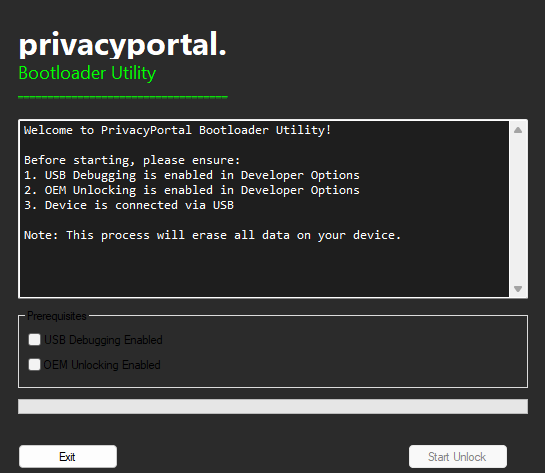
A digital software download with instructions for unlocking the bootloader on an eligible Google Pixel you own. It prepares the bootloader state for a separate compatible ROM or root installation; it does not install a ROM or root manager itself.
Compatibility and requirements
- Confirm the exact Pixel model and that OEM unlocking is available in Developer options before purchasing. Carrier and organisation restrictions can prevent unlocking.
- This tool does not bypass a disabled OEM-unlocking switch, carrier lock, Activation Lock, Google account lock or Factory Reset Protection.
- Unlocking performs a factory reset. Back up the device before starting, use a reliable USB data connection, and check the computer requirements in the supplied instructions. Contact us before buying if you need the supported desktop OS or exact device eligibility confirmed.
What is supplied
The download and its setup instructions. No phone, cable, remote appointment, operating-system installation, root-manager licence or Google-apps setup is included. Follow the digital delivery instructions in your order; contact us with the order number if the download is missing.
After unlocking
The bootloader remains unlocked until you deliberately follow the correct relocking process. Do not relock with arbitrary modified software installed. ROM and root updates are handled by their respective projects, not by this unlocking tool.
Official technical guidance
Compare devices and read the guides

Customer feedback
Have feedback on this product? Share your experience below.
Write a review
Thanks — your review has been received. We verify it against your order and it appears on the site once approved.