

APatch is a kernel-based root manager for Android that patches your device's boot image directly, giving you root access at the kernel level rather than through userspace. If you have been weighing up how to root a phone in 2026 and keep seeing APatch mentioned alongside Magisk and KernelSU, this guide explains exactly what it is, how it works, who it suits, and the real risks involved. We write for people who want to control their own devices — and we will be honest about the trade-offs, because this kind of modification can permanently change or even brick a phone.
Before anything else: back up your data and your original stock boot image. Unlocking a bootloader wipes the device, and a wrong patch can leave you stuck on a boot screen. Read to the end before you start.
If you would rather avoid patching boot images altogether, our pre-rooted Android phones arrive unlocked and rooted with Magisk, and each one is tested before dispatch.
What is APatch?
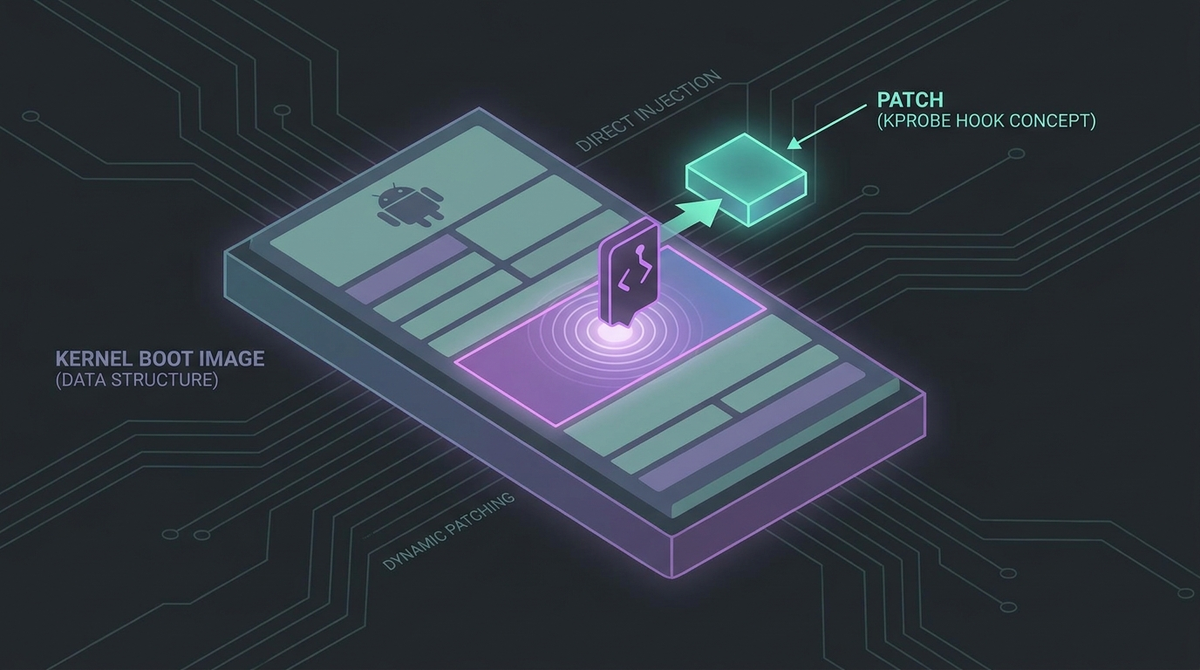
APatch is a root solution built on a project called KernelPatch. Instead of rebuilding your kernel from source (the KernelSU approach) or patching the ramdisk and init process (the Magisk approach), APatch modifies the running kernel by patching the stock boot.img in place. Crucially, it does this without needing your kernel's source code — it works from the boot image that ships with your current firmware.
That places APatch in an interesting middle ground. Magisk operates in userspace and is the long-standing, most compatible option. KernelSU integrates root into the kernel itself but requires a compatible GKI 2.0 kernel (Android 12+ devices on kernel 5.10 and above) and, historically, kernel source. APatch reaches kernel-level capability without those source requirements, which is what makes it appealing — particularly on older devices.
One useful piece of lineage to understand: APatch's manager UI and its standard module framework were derived and modified from KernelSU's source code. Both projects are GPLv3. So if APatch's interface feels familiar to KernelSU users, that is why.
How APatch works under the hood
The core mechanism is KernelPatch. When you patch your boot image, KernelPatch injects code that adds a privileged entry point into the kernel — a "SuperCall" mechanism reached through a hijacked syscall (community documentation cites syscall number 45, which is normally fallocate on ARM64; KernelPatch intercepts it to multiplex its own calls). Every root request is routed through this SuperCall and authenticated by a credential you set yourself: the SuperKey.
This is the single most important concept in APatch, and the one that makes it different from every other root manager.
The SuperKey: more powerful than root
The SuperKey is a password you choose during patching. It must be 8 to 63 characters and contain both letters and numbers. Most special characters are allowed — @ and #, for example, are fine — but five characters are blocked because they break shell parsing: the dollar sign, double quote, single quote, and the two square brackets. (You may see older guides say "no special characters at all" — that is inaccurate; only those five are forbidden.)
Here is the critical part: the SuperKey grants capabilities above standard root. Anyone or anything that obtains it has kernel-level control of your device. A weak, reused, or leaked SuperKey is a complete compromise. Choose something long and unique, never store it in a note-taking app that syncs to the cloud, and never paste it into an untrusted terminal. This is the primary security concern that is genuinely unique to APatch.
SELinux
KernelPatch handles SELinux by hooking around it rather than rewriting your SELinux contexts. APatch also ships magiskpolicy for policy management, much as Magisk does, so module developers have a familiar tool to work with.
APModules vs KPModules: two kinds of modules
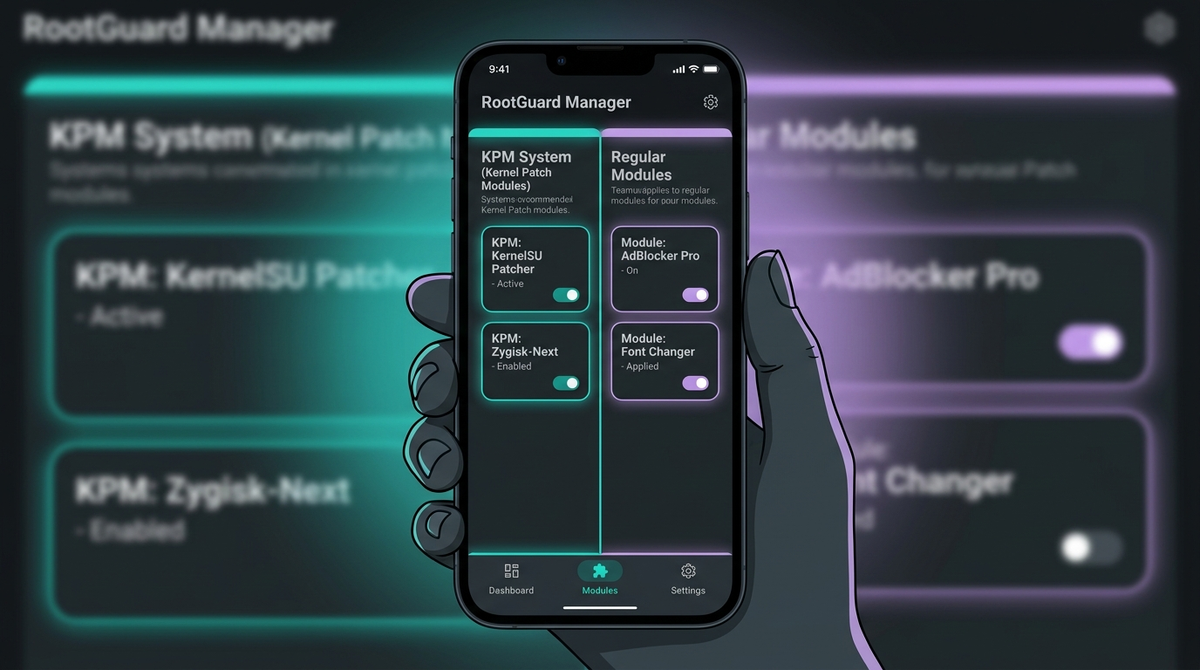
APatch supports two distinct module systems, and the difference matters.
- APModules (APM) — These are Magisk-compatible, system-level modules. If you have used Magisk modules, these work in much the same way and are managed through the APatch Manager app. Note that Zygisk is not built in; if you need Zygisk functionality, the community provides it via APMs such as ZygiskNext, ReZygisk, or NeoZygisk.
- KPModules (KPM) — These are genuine kernel-space modules. They run real code inside the kernel with inline-hook and syscall-table-hook capabilities, closer to a traditional Linux Loadable Kernel Module than anything Magisk or standard KernelSU offers. This is APatch's signature feature.
KPMs are powerful, and that power cuts both ways. A buggy or malicious KPM can crash your device, corrupt data, or plant a kernel-level backdoor. There is no app-store-style vetting at this layer. Only install KPMs from sources you genuinely trust and can verify.
KPMs can be installed two ways: Embed (merged into the boot image at patch time, so they survive reboots) or Load (temporary, lost on reboot). A third method, Install, is referenced in the project but has not been implemented at the time of writing.
One historical caveat worth knowing: APatch moved to a Magic Mount system around version 10977, dropping the older module format. Upgrading from a pre-10977 build removes modules installed under the old system, so plan a clean reinstall of your modules if you are coming from an early version.
Which devices and kernels does APatch support?
APatch is ARM64 only and has been confirmed working on Android kernel versions 3.18 through 6.12. Kernel 6.6 has been tested on Xiaomi and OnePlus devices but should be treated as experimental elsewhere.
There is one hard requirement: your kernel must be built with CONFIG_KALLSYMS=y (with or without CONFIG_KALLSYMS_ALL). You can check this before you commit to anything:
adb shell "zcat /proc/config.gz | grep CONFIG_KALLSYMS"
If that does not return CONFIG_KALLSYMS=y, APatch will not work on your device.
The standout use case is older, non-GKI devices running kernels below 5.10. KernelSU officially dropped non-GKI support at version 1.0 (mid-2024; the last non-GKI version was 0.9.5). On those older phones, APatch is frequently the only kernel-based root option available — a real advantage. Be aware that some very old kernels lack CONFIG_KALLSYMS_ALL, which can limit what KPMs are able to do.
A vital partition note for Pixel owners
There is a persistent and dangerous piece of misinformation that says APatch patches init_boot.img on modern Pixels. It does not. The official APatch documentation is explicit: APatch always patches boot.img on every device, and you should not attempt to patch or flash init_boot or any other partition. Flashing a patched init_boot on a Pixel 7, 8, or 9 can cause a bootloop. Whatever your device, the answer is the same — patch boot.img.
Samsung owners, read this carefully
On Samsung devices, unlocking the bootloader trips the Knox eFuse permanently and irreversibly. That kills Samsung Pay, Secure Folder, Samsung Pass, and various carrier or enterprise features for good — relocking or unrooting later does not bring them back. Samsung also uses Real-time Kernel Protection (RKP), which standard APatch cannot bypass; Samsung support effectively requires a device-specific, Knox-disabled kernel built by community developers, which adds another untrusted component to your trust chain. Samsung devices also flash via Odin/Heimdall, not fastboot. If a working Samsung Pay or Secure Folder matters to you, think hard before proceeding.
APatch vs Magisk vs KernelSU
| Aspect | Magisk | APatch | KernelSU |
|---|---|---|---|
| Where root lives | Userspace (init/ramdisk) | Kernel (patched boot image) | Kernel (integrated) |
| Needs kernel source? | No | No | Often yes |
| Kernel-space modules | No | Yes (KPM) | Limited |
| Magisk-style modules | Yes | Yes (APM) | Yes |
| Zygisk built in? | Yes | No (add-on) | No (add-on) |
| Old non-GKI devices | Yes | Yes (strong) | No (dropped at v1.0) |
| Module ecosystem size | Largest (1000+) | Small (tens) | Moderate |
| Unique risk | — | SuperKey = super-root | Kernel compatibility |
The honest summary: Magisk is the safest first choice for most people thanks to its maturity and enormous module library. KernelSU suits modern GKI devices where you want kernel-level root and have a compatible kernel. APatch shines on older hardware and for anyone who specifically wants true kernel-space modules — at the cost of a smaller ecosystem and the SuperKey responsibility.
How to install APatch (overview)
This is a high-level overview, not a device-specific tutorial. Always follow the current instructions for your exact model and use only official releases from github.com/bmax121/APatch. APatch's developers explicitly disclaim responsibility for third-party forks, whose security posture may differ.
-
Back up everything. Copy your photos and data off the device, and save a copy of your original stock
boot.imgon a computer. This is your lifeline. - Unlock the bootloader. Device-specific, and it wipes the phone. On Knox Samsung devices this is permanent.
-
Verify kernel compatibility using the
CONFIG_KALLSYMScheck above. -
Extract the stock
boot.imgfrom the firmware build currently on your phone. OnePlus, Xiaomi and Pixel users typically extract it frompayload.binusing a tool such as payload-dumper-go. - Install the APatch Manager APK from the official GitHub releases.
-
Patch the boot image in the app: select your extracted
boot.img, set a strong SuperKey, and wait for patching to finish. -
Test before committing. Use
fastboot boot patched_boot.imgto boot the patched image once without writing it to flash. If the device boots cleanly, proceed. -
Flash it with
fastboot flash boot patched_boot.img. - Verify root in APatch Manager and via a terminal app.
You may read that you can rename the APK to .zip and flash it in a custom recovery such as TWRP. This works from version 10888 onward, but with a serious catch the shortcut guides omit: flashing this way does not let you set a SuperKey. You would be left with a default or blank key — a major security hole. If you flash via recovery, set a proper SuperKey immediately afterwards.

OTA updates and root hiding
APatch does not automatically survive OTA system updates. The recommended flow is to apply the OTA in Settings and then, before rebooting, use the "Install to Inactive Slot [After OTA]" option in APatch Manager. This feature is documented as somewhat unstable, so be prepared to re-extract the new boot.img and re-patch from scratch if it fails. Always grab a fresh stock boot image from each new firmware build.
On root hiding: APatch has its own approach, separate from Magisk's. It cannot use Shamiko, which is proprietary and unsupported by APatch's developers; the community uses kernel-level (KPM) hiding tools instead. A word of realism, though — an unlocked bootloader permanently fails hardware-attested (STRONG) Play Integrity. Software bypasses exist and sometimes restore DEVICE or even STRONG verdicts, but this is a cat-and-mouse game with Google. We will never tell you a method beats a specific bank's detection. Banking and payment apps can stop working after any server-side update, with no guaranteed fix. Treat anything sensitive as something that may break.
A note on development cadence
The most recent confirmed upstream release is version 11142, dated 12 November 2024. As of mid-2026 there is no evidence of a newer upstream release from the official repository, even though documentation and side repositories have seen activity. (You may notice F-Droid showing a later "publish date" — that reflects F-Droid's own delayed build, not a new version; F-Droid dates can lag upstream by many months.) Compared with Magisk and KernelSU, APatch's slower cadence is a fair thing to weigh up before relying on it long-term.
Should you use APatch? A calm verdict
APatch is a genuinely clever tool and the best kernel-based root option for many older, non-GKI phones. It is also the most demanding of the three on user discipline, because of the SuperKey and the power of kernel modules. If you are a beginner on a well-supported modern device, Magisk is usually the gentler starting point. If your device is older, or you specifically want true kernel-space modules, APatch earns its place.
If you would rather not navigate bootloader unlocking, keyboxes and integrity at all, that is exactly the problem we set out to solve at PrivacyPortal: we sell de-Googled, privacy-first Android phones configured and ready to use, so you get control over your device without the bricking risk. If you do want to tinker, we are happy to point you in the right direction — and we would always rather you ask first than recover a bootlooped phone afterwards.
Frequently asked questions
What is APatch in one sentence?
APatch is a kernel-level Android root manager that patches your stock boot image directly, without needing kernel source, and supports both Magisk-style modules (APM) and true kernel modules (KPM).
Is APatch better than KernelSU?
Neither is strictly "better". KernelSU is excellent on modern GKI devices. APatch works on older, non-GKI kernels that KernelSU dropped at version 1.0, and it offers kernel-space KPModules. Match the tool to your device.
Does APatch need kernel source code?
No. That is one of its main attractions. It patches the boot.img from your current firmware. It does require CONFIG_KALLSYMS=y in your kernel.
What partition does APatch patch on a Pixel?
Always boot.img, never init_boot. The official docs are explicit, and flashing a patched init_boot can bootloop a modern Pixel.
What happens if I lose or leak my SuperKey?
Losing it means you cannot authenticate root operations and may need to re-patch. Leaking it is worse — the SuperKey grants above-root capability, so a leak is effectively a full device compromise. Keep it long, unique, and offline.
Will APatch let my banking app work?
There is no guarantee. An unlocked bootloader fails hardware-attested integrity, and while software bypasses sometimes help, banks and Google update their checks regularly. We cannot promise any method defeats a specific app's detection.
Are "extracted keyboxes" sold online a way to pass integrity with APatch?
No. Hardware keyboxes cannot be extracted from a device — anyone selling "extracted keyboxes" is running a scam. Avoid them entirely.
Does APatch survive OTA updates?
Not automatically. Apply the OTA, then use "Install to Inactive Slot [After OTA]" before rebooting, and be ready to re-patch a fresh boot image if needed.
Modules, apps & files to try
Here are the actual tools the rooting community uses for this, each linked to its official source. They're third-party community projects, so download only from the official page below, back up your boot.img first, and follow each project's own instructions. PrivacyPortal isn't affiliated with these projects and can't guarantee third-party files — flash at your own risk.
| File | What it is & how to use it safely |
|---|---|
| APatch (GITHUB) | Kernel-level Android root manager that patches the kernel image directly and provides its own KPM (Kernel Patch Module) system; an alternative to Magisk and KernelSU. APatch is a legitimate open-source, kernel-level root manager (built on KernelPatch; UI/module code derived from KernelSU). Only download the APK from the official GitHub Releases page (github.com/bmax121/APatch/releases) or the official docs at apatch.dev — avoid third-party APK mirrors. Because it patches the kernel directly, ALWAYS back up your boot.img before flashing, and choose a strong SuperKey: the SuperKey has higher privileges than root, so a weak or leaked key can hand full control of your device to an attacker. Rooting voids warranties, can trip banking/Play Integrity checks, and a bad patch can bootloop the device. |
| Zygisk Next (GITHUB) | A standalone reimplementation of Magisk's Zygisk (Zygote injection) for root managers that lack it natively, including APatch and KernelSU. Also known as NeoZygisk. Legitimate open-source Zygisk reimplementation; official repo is Dr-TSNG/ZygiskNext (9.8k stars, latest v1.4.0 on 18 Jun 2026, actively maintained). It supports APatch (min v10700), KernelSU and Magisk. Flash only the signed ZIP from this official Releases page — never third-party mirrors or Telegram links. Back up boot.img before flashing any root module. Note: the community sometimes conflates this with "NeoZygisk" (JingMatrix/NeoZygisk), which is a separate ptrace-based project, not the same repo. Also, since v4-0.9.2 the project is proprietary (all-rights-reserved), no longer GPL-3.0. |
| Shamiko (GITHUB) | Zygisk module that hides root traces and Zygisk itself from detection; runs on APatch via Zygisk Next (note: pairs with Zygisk Next, not ReZygisk). Legitimate root-hiding module from the LSPosed team, and the candidate link points to a genuine official release (Shamiko v1.2.5 / build 414). Caveats a reader should know: (1) Only download from the official LSPosed.github.io releases page — third-party "Shamiko download" sites and Telegram mirrors are common and unverified. (2) The project is effectively frozen: the LSPosed team halted maintenance and the repos are archived; v1.2.5 (June 2024) is the last release, with no 2025-2026 updates. Modern successors are ReZygisk / NeoZygisk. (3) Shamiko is closed-source, and APatch's own FAQ states it is unsupported ("use at your own risk"). (4) It pairs with Zygisk Next (not ReZygisk). As with any module, back up boot.img before flashing. |
| Tricky Store (GITHUB) | Module that spoofs the TEE/keystore attestation chain to pass strong Play Integrity; supports force ('!') and conditional ('?') modes via target.txt. Real, widely-used root module (Magisk/KernelSU/APatch). Download ONLY from the official repo github.com/5ec1cff/TrickyStore (Releases tab) -- it has been closed-source since v1.1.0, so binaries from random hosts/Telegram channels are NOT trustworthy; an open-source alternative is github.com/beakthoven/TrickyStoreOSS. It modifies the keystore attestation chain and needs a working/un-revoked keybox.xml the user supplies -- the module itself does not provide or sell keyboxes (paid "keybox" sellers are scams; ignore them). Back up boot.img before flashing, and understand passing Play Integrity this way can risk app/account flags. Verify the module signature and that the repo owner is exactly '5ec1cff' before installing. |
| Play Integrity Fork (GITHUB) | Community-maintained fork of Play Integrity Fix that spoofs device fingerprint and build properties to pass Play Integrity DEVICE (and sometimes STRONG) checks; has an inject variant. Open-source Magisk/KernelSU module from a highly reputable XDA developer; spoofs device fingerprint/Build props to pass Play Integrity DEVICE verdicts (mainly aimed at Android <13). Only download from the official GitHub Releases page above — never from random reuploads or Telegram links. Back up boot.img before flashing in case you need to recover. It does NOT and cannot grant STRONG integrity on its own (that needs a hardware-backed keybox), and any site selling "keyboxes" is a scam to avoid. Bypassing Play Integrity may violate some apps' terms of service. |
| SUSFS (GITLAB) | Kernel-level filesystem-hiding patch (VFS layer) that hides root-related files and mounts from apps; requires kernel support and is applied via the patched kernel. SUSFS is a kernel-level patch, not a one-click app — it requires a SUSFS-patched kernel, so back up your boot.img/stock kernel before flashing and only use the official simonpunk GitLab repo or a reputable pre-patched kernel. Upstream calls it experimental; a bad flash can bootloop your device. |
PrivacyPortal sells ready-to-use, de-Googled GrapheneOS Pixels — hardened, kept updated, and shipped with our encrypted Graphite messenger. Browse privacy phones →


