

If you want to root Android 16 (or Android 15) in 2026, the good news is that it is still very much possible on the right hardware. The bad news is that the landscape has narrowed considerably. Several major manufacturers have closed the door on bootloader unlocking, the partition you patch has changed, and the cat-and-mouse game around banking apps has only intensified. This guide walks through the current, honest method: what actually works on Android 15 and 16, which phones can still be unlocked, and the real risks you take on when you do it. If you are already on Android 17 — which began rolling out to current Pixel hardware in mid-2026 — the same init_boot/GKI approach in this guide still applies, with one important caveat we cover in the kernel section below: confirm your exact kernel version and your framework's stated support before you flash anything.
We write this as a privacy-first brand, not a hype channel. Rooting gives you genuine control over your own device, but it also dismantles part of Android's security model. Read the warnings before you reach for fastboot.
What rooting actually means in 2026
Rooting means giving yourself (and the apps you authorise) the ability to act as the system superuser, UID 0. That lets you remove bloatware, run firewalls and ad-blockers system-wide, back up app data properly, change low-level settings, and install modules that modify the OS without touching the system partition.
It is not the same as unlocking the bootloader, and it is not the same as installing a custom ROM, though rooting usually requires an unlocked bootloader first. If your goal is simply a clean, de-Googled phone without the maintenance burden of root, a custom OS or a pre-configured handset may serve you better. Rooting is for people who want to actively tinker.
Before you start: back up and understand the risks
This process can wipe or, in some cases, brick your device. Treat the following as non-negotiable.
- Back up everything first. Unlocking the bootloader performs a full factory reset on virtually every device. Photos, messages, app data, two-factor seeds: all gone. Copy them off the phone before you begin.
- Warranty. Almost every manufacturer excludes rooting and bootloader unlocking from warranty cover, and many can detect it after the fact.
- Banking, payments and work apps. Root detection is pervasive across banking, Google Wallet, manufacturer pay services, corporate email (Intune) and DRM streaming. Hiding modules exist but are reactive, never guaranteed, and need ongoing upkeep.
- Security. Root means any malicious or compromised app that gains it can read every other app's data, install certificates and persist across reboots. Running root on your primary banking-and-email phone is a real risk, not a theoretical one.
- Brick risk from anti-rollback. Some firmware (notably Pixel 10's May 2026 build) increments an anti-rollback counter. Flashing or sideloading older or mismatched firmware on such a device can permanently hard-brick it, and no software trick can recover it. Follow the OTA procedure later in this guide carefully.
If any of this gives you pause, that is the correct instinct. Many people are better served by a daily driver that is private out of the box and a separate device for experiments.
Can your phone even be unlocked? (2026 reality check)
This is the first thing to check, because for several brands the answer is now simply no — and for others it depends heavily on your exact model and region. The table below summarises the current state.
| Brand | Bootloader unlock status (2026) | Notes |
|---|---|---|
| Google Pixel | Open and easy | The most root-friendly major brand. Pixel 6 and newer patch init_boot. Factory images published openly. |
| OnePlus | Open | Generally the easiest after Pixel; fastboot oem unlock works without a waiting period on most models. |
| Motorola | Often available | Via Motorola's official unlock site for eligible models; many US carrier variants are locked. |
| Nothing | Generally available | Check the per-model developer documentation. |
| Samsung | Largely closed | One UI 8 (launched mid-2025, deploying broadly through 2025–2026) removed unlock logic from the bootloader itself on consumer models updated to it. US/Canada Snapdragon variants have been locked since 2023. Unlocking, where still possible, permanently trips the Knox e-fuse. |
| Xiaomi / Redmi / POCO | Restricted, region-dependent | Xiaomi closed the Mi Community bootloader-unlock application portal for mainland China in late December 2025. The global/international Mi Unlock program was still functioning as of early 2026, though increasingly restricted (roughly one device per account per year). No universal, permanent closure has been confirmed — so check your own region and account eligibility before assuming it is impossible. |
A note on Samsung: even on models that still unlock, the Knox e-fuse is a one-way hardware bit. Tripping it permanently disables Samsung Pay, Secure Folder and Samsung Pass, and cannot be undone by re-locking or reflashing stock. On top of that, downgrading to older firmware is blocked on devices carrying February 2025 or later security patches, so do not count on rolling back to an unlockable build. Factor all of this in before you commit.
The big architectural change: init_boot, not boot
If you last rooted a phone a few years ago, the single most important change to absorb is which partition you patch. Since Android 13, devices that ship with a Generic Kernel Image (GKI) hold the first-stage init ramdisk in a separate init_boot partition. The boot partition on those phones contains only the GKI kernel.
So on every Pixel 6 and newer, and on essentially any phone that launched with Android 13 or later (which includes all Android 15, 16 and 17 devices), Magisk and APatch patch init_boot.img, not boot.img. Older phones that launched before Android 13 (a Pixel 5, say) still use boot.img.
The reliable way to decide is by launch version: if the device shipped with Android 13+, patch init_boot; if it shipped earlier, patch boot. Do not rely on folklore about the Magisk app's "Ramdisk: Yes/No" line to choose between boot and init_boot. That indicator is widely misread, it does not map cleanly to "patch init_boot when it says No," and trusting it can send you to the wrong partition — which is exactly the kind of mistake that produces a bootloop or soft-brick requiring a full factory flash to recover. KernelSU and its forks take a different route entirely: they patch or replace the kernel itself rather than the ramdisk.
GKI 2.0 and kernel versions
GKI 2.0 has been mandatory since Android 12, standardising the kernel so manufacturers ship only vendor modules on top of a common Google kernel. Each Android version maps to a kernel line: Android 12 used 5.10; Android 13 used 5.10 or 5.15; Android 14 used 5.15 or 6.1; Android 15 runs 6.6; and Android 16 runs 6.12. This matters because kernel-based root managers (KernelSU and its forks) must match your exact kernel — a module built for one kernel line will not load on another.
What about Android 17? By mid-2026, Android 17 stable had begun reaching current Pixel devices. The architecture in this guide does not change for it: these are still GKI devices, so Magisk and APatch patch init_boot, and KernelSU still operates at the kernel level. What we deliberately will not do is print an Android 17 kernel-version number or claim a specific GKI branch, because at the time of writing the per-version compatibility of each root framework on Android 17 was still settling. If you are on Android 17, check your exact kernel under Settings → About phone, and confirm that your chosen framework's own release notes explicitly list support for your build before you flash anything. Never assume an Android 16 (6.12) kernel module will load on an Android 17 kernel.
Choosing a root manager for Android 15 and 16
There is no single "the" rooting app any more. Three families compete, and the right choice depends on your device and your appetite for complexity.
| Manager | Approach | Latest (mid-2026) | Best for |
|---|---|---|---|
| Magisk | Patches init_boot ramdisk; systemless modules via Magic Mount | v30.7 (23 Feb 2026) | Most users. The mature, best-documented option with Android 16 QPR2 support. |
| KernelSU / KernelSU-Next | Kernel-level; needs GKI 2.0 support or a custom kernel | KernelSU v3.2.4 (6 Apr 2026); KSU-Next v3.2.0 (14 Apr 2026) | Devices with prebuilt KSU kernels; users wanting kernel-level hiding. |
| APatch | Boot-image patcher with kernel-patch modules (KPM) | v11142 (12 Nov 2024 — last confirmed) | Mostly older, non-GKI or early-GKI hardware. See the caveat below. |
For most people rooting an Android 15 or 16 phone, Magisk is the sensible default: it is actively maintained, well documented, and explicitly supports the latest Android releases (including Android 16 QPR2 sepolicy and Zygisk compatibility). A significant part of its codebase moved to Rust across the v30 series, and v30.3 added vendor_boot install support.
Two important caveats. First, KernelSU v3.x removed its built-in overlayfs mount (a breaking change introduced in v3.0, released 29 November 2025), so you must install a separate metamodule — such as meta-overlayfs — before any other module will work, and v2-era modules need reinstalling. Skip this and your modules silently fail to mount. Second, and more seriously for new hardware: APatch has had no confirmed release since v11142 in November 2024 and may now be stale or unmaintained. Its supported kernel ceiling sits around 6.1/6.6 and it is ARM64-only, which makes it a poor and largely unviable fit for Android 15 (kernel 6.6) and especially Android 16 (kernel 6.12) devices. Do not treat APatch as a current peer to Magisk or KernelSU on modern hardware — check the project's GitHub releases page yourself before relying on it at all. Note also that Kitsune Mask (Magisk Delta) was archived in 2025 and should not be used for new installs.
Community projects worth knowing: SukiSU-Ultra is a KernelSU fork with the SUSFS hiding patch integrated, and WildKernels ships prebuilt GKI kernels for Android 12 to 16 with KernelSU-Next and SUSFS baked in (Release 4, 5 June 2026, bundling KernelSU-Next v3.2.0 and SUSFS v2.1.0). These can save you from building a kernel by hand.
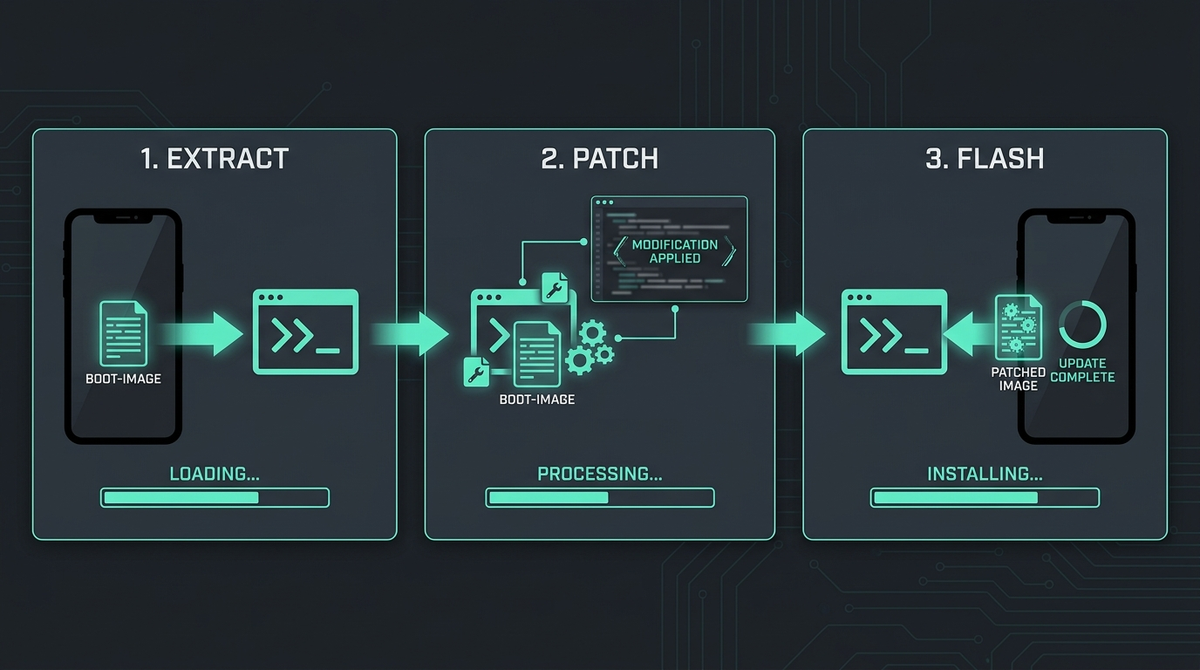
How to root Android 16 with Magisk: the step-by-step method
This is the mainstream path, written for a Pixel-class device that patches init_boot. Adapt the partition name if your phone is an older boot.img device. Every device differs slightly, so treat each command as something to verify against your own model's documentation rather than a guaranteed recipe.
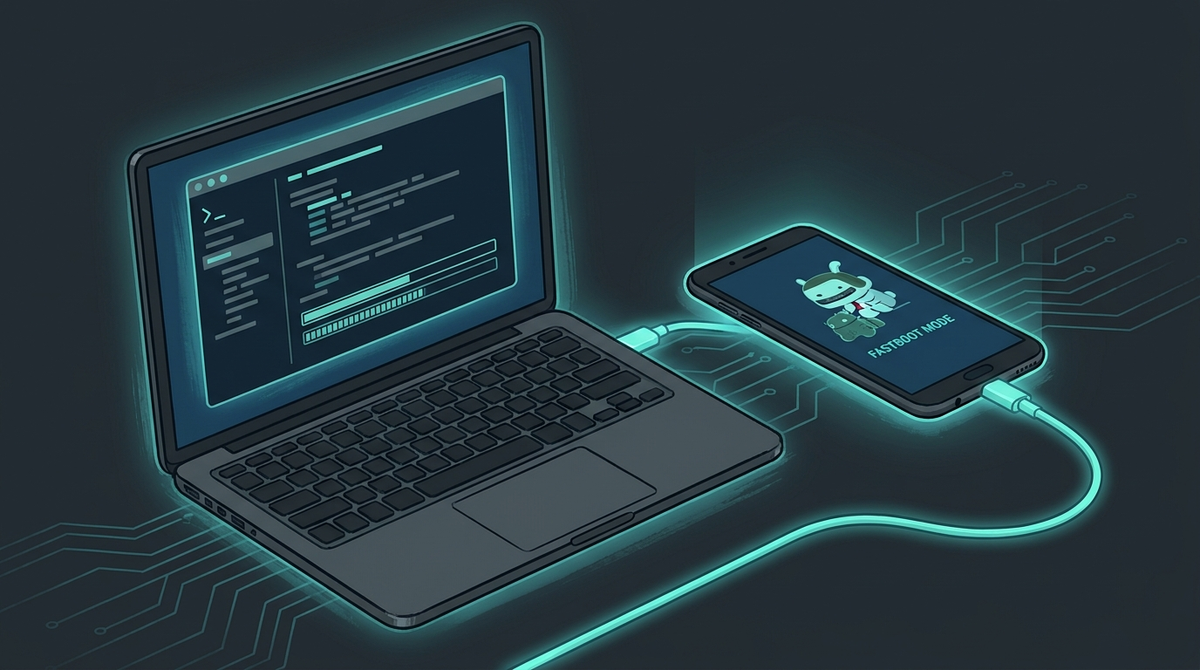
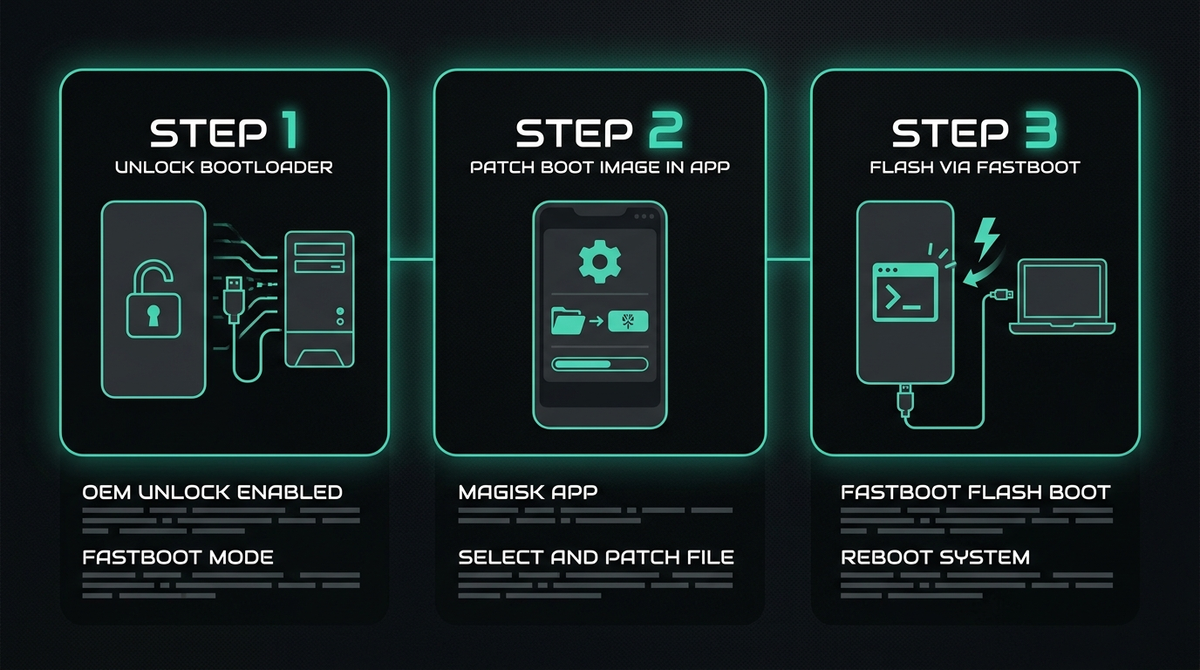
- Unlock the bootloader. Enable Developer Options, turn on OEM unlocking and USB debugging, then boot to the bootloader (adb reboot bootloader) and run fastboot flashing unlock (Pixel) or your device's equivalent. Confirm on-screen. This wipes the device.
- Get the exact stock image. Download the factory image or OTA that matches your current build fingerprint precisely, from the manufacturer's developer portal (for Pixel, developers.google.com/android/images). Mismatched images cause bootloops. Keep this file — it is your recovery lifeline.
- Extract the right partition. Pull init_boot.img (or boot.img on older devices) out of the factory image. For payload.bin OTAs, use a tool such as payload-dumper-go.
- Patch it in Magisk. Install the Magisk app (only from github.com/topjohnwu/Magisk — third-party "Magisk Manager" sites are frequently repackaged with malware). Copy the stock image to the phone, then in Magisk choose Install → Select and Patch a File. The result lands in your Download folder as magisk_patched_[random].img.
- Pull the patched image back. adb pull /sdcard/Download/magisk_patched_*.img to your PC.
- Test before you commit — Pixel-class devices that support it only. On Pixels and similar devices, you can boot the patched image once without flashing it: from the bootloader, run fastboot boot magisk_patched_*.img. If the phone boots cleanly and the Magisk app shows a version, the patch is sound and you can proceed to flash it. This is not a universal safety net. fastboot boot is not implemented on every device — many non-Pixel phones do not support temporary boot at all — and where it does exist it is not guaranteed to be harmless: on some hardware it behaves differently from a permanent flash, or can itself leave the device in a bad state. Do not treat it as a magic undo button. If your device does not support temporary boot, skip this step and rely instead on the matched stock factory image you kept in step 2 to recover. And whatever you do, heed the anti-rollback warning in the next section: on devices such as the Pixel 10 (May 2026 firmware), flashing or sideloading mismatched or older firmware can hard-brick the phone, and no temporary-boot trick protects you from that.
- Flash permanently. Once you have the patched image — and, on devices that support it, confirmed it boots — install it. The simplest route is Magisk's Direct Install from inside the app; alternatively, from the bootloader run fastboot flash init_boot magisk_patched_*.img (use flash boot on older boot.img devices) followed by fastboot reboot. Make sure the partition you target matches your device — flashing the wrong partition can bootloop or soft-brick the phone and force a full factory flash to recover.
- Finish setup. Open Magisk, confirm the version, and enable Zygisk in Settings if you plan to use hiding or integrity modules. On KernelSU v3+, install your overlayfs metamodule before anything else.
Updating safely with OTAs (do not skip this)
On A/B devices, never just accept an OTA: it overwrites your patched partition and you lose root. Instead, in Magisk select Install to Inactive Slot (After OTA), apply the OTA, let it stage, and only then reboot. On Pixel 10 with the May 2026 firmware, the anti-rollback counter makes this more delicate still: sideload the full OTA after booting the new build so both A/B slots are on the current bootloader, because leaving one slot behind on an anti-rollback increment can hard-brick the phone. When in doubt, update conservatively and keep your current factory image to hand.
Play Integrity, banking apps and the honest limits of "hiding"
Once rooted, you will likely want certain apps to keep working. Here is the truthful picture for 2026.
Basic and Device integrity are generally achievable on a rooted, unlocked phone using a stack of Zygisk plus a PlayIntegrityFix-style module, a hiding module (Shamiko or an equivalent), and a Tricky Store-style component. This is enough for many apps — but "many" is not "all," and nothing here is guaranteed.
Strong integrity is a different matter. It requires a valid, hardware-attested keybox, and that is a genuine cat-and-mouse game: community keyboxes circulate and then get revoked by Google, so any working setup is temporary by nature. We will not pretend otherwise, and we will not promise that any method defeats a specific bank's checks. You are modifying your own device; whether a given app tolerates that is ultimately the app vendor's decision, and some have moved to hardware attestation that no software module can spoof.
One scam to avoid: nobody can "extract" a keybox from a phone. The attestation key lives sealed in the device's secure hardware and cannot be read out. Anyone selling "extracted keyboxes" is selling either shared, soon-to-be-revoked files or nothing at all. Steer clear.
Avoiding bootloops and bricks
- Install modules one at a time and reboot between them, so you know which one caused trouble.
- Rely on Magisk's built-in bootloop protection, which disables modules after repeated failed boots.
- Keep the exact stock image you started from. You can always re-flash it to recover from a soft-brick.
- Confirm the partition before every flash — init_boot on Android 13+ launch devices, boot on older ones.
- Never flash a bootloader older than your device's current anti-rollback level, and never sideload mismatched firmware on an anti-rollback device.
A calmer alternative: a phone that is private out of the box
Rooting is powerful, but it is ongoing work: re-patching after every update, maintaining hiding modules, and accepting a weaker security posture on a device you depend on. If your real goal is privacy and control rather than tinkering for its own sake, that trade-off may not be worth it.
This is exactly why PrivacyPortal sells de-Googled, privacy-first Android phones set up properly from the start, so you get control without the bricking risk or the maintenance treadmill. If you are weighing whether to root your daily driver or start fresh with a device built for privacy, we are happy to talk it through honestly.
Frequently asked questions
Is it still possible to root Android 16?
Yes, on devices with an unlockable bootloader. Pixel and OnePlus remain straightforward; Samsung (One UI 8) and new mainland-China Xiaomi devices have largely closed the door. Magisk patching init_boot is the mainstream method, and the same approach carries forward to Android 17 (which began rolling out in mid-2026) — just verify your exact kernel and your framework's stated compatibility first.
Do I patch boot.img or init_boot.img?
If your phone launched with Android 13 or later (all Android 15, 16 and 17 devices), patch init_boot.img. Phones that launched before Android 13 use boot.img. Decide by launch version, not by the Magisk "Ramdisk" line — that indicator is easily misread and can send you to the wrong partition.
Is the fastboot boot test always safe?
No. Temporary-booting a patched image is a convenience on Pixel-class devices that support it, not a universal undo. Many phones do not support fastboot boot at all, and on some hardware it can behave unexpectedly or leave the device in a bad state. If your device does not support it, rely on keeping your matched stock factory image for recovery instead.
Will rooting break my banking apps?
It can. Device-level integrity is usually achievable with a hiding stack, but results vary by app, are never guaranteed, and need maintenance. Some apps use hardware attestation that cannot be bypassed by software.
Magisk, KernelSU or APatch?
Magisk for most people on Android 15/16/17. KernelSU or KernelSU-Next if your device has prebuilt GKI kernels and you want kernel-level hiding. APatch is mainly for older hardware, has had no confirmed release since November 2024, and tops out around kernel 6.1/6.6 — so it is generally not a viable choice for current Android 15/16 hardware.
Does rooting wipe my phone?
Unlocking the bootloader, which is the prerequisite, wipes it. Back up everything first.
Can I buy an "extracted keybox" to pass Strong integrity?
No. Keyboxes cannot be extracted from a device, and sellers of "extracted" ones are running a scam. Strong integrity via shared keyboxes is unstable because Google revokes them.
Modules, apps & files to try
Here are the actual tools the rooting community uses for this, each linked to its official source. They're third-party community projects, so download only from the official page below, back up your boot.img (or init_boot.img) first, and follow each project's own instructions. PrivacyPortal isn't affiliated with these projects and can't guarantee third-party files — flash at your own risk.
| File | What it is & how to use it safely |
|---|---|
| Magisk (GITHUB) | The original and most widely used Android root manager; systemless root via boot-image patching, with built-in Zygisk, a module system and a DenyList for hiding root. Download ONLY from the official repo github.com/topjohnwu/Magisk — its README states GitHub is the sole official source, and third-party "Magisk Manager" sites/APKs are frequently repackaged with malware. Rooting trips Play Integrity and can brick a device: back up your stock image before patching/flashing, and never flash a Magisk ZIP/APK obtained from a Telegram link or random mirror. |
| KernelSU-Next (KSUN) (GITHUB) | Actively maintained KernelSU successor/fork by RifsxD with enhanced root hiding, magic mount, manual-hook support for non-GKI kernels, and integrated SUSFS GKI image support. Legitimate open-source (GPL) KernelSU fork — the candidate link rifsxd/KernelSU-Next 301-redirects to the canonical org repo. Actively maintained (v3.2.0, April 2026). Kernel-level root is high-risk: back up your boot/init_boot image before flashing, match the manager and kernel module versions, and download ONLY from this official GitHub repo/releases page (or the official kernelsu-next.github.io docs) — never from Telegram or mirror sites. Note the wider KernelSU ecosystem had a manager-impersonation root flaw in an old version, so always run a current release. |
| Zygisk Next (GITHUB) | Reimplementation of Zygisk as a standalone module for KernelSU and APatch (NeoZygisk is the community-maintained successor); the alternative to ReZygisk. Legitimate, widely-used community root module (official repo: Dr-TSNG/ZygiskNext). Provides the Zygisk API to KernelSU, APatch, and Magisk. Only download the flashable zip from this official GitHub releases page and verify the SHA256 checksum; never from Telegram/mirror sites. Back up your boot/init_boot image before flashing any root module. Note for readers: later builds are released under a proprietary, source-unavailable licence; the fully open-source community alternatives are NeoZygisk (github.com/JingMatrix/NeoZygisk) and ReZygisk (github.com/PerformanC/ReZygisk). |
| SukiSU-Ultra (GITHUB) | Feature-rich KernelSU fork that adds a KPM (Kernel Patch Module) system and auto-updating GKI builds; ships a signed manager APK. Legitimate open-source KernelSU fork (adds KPM + built-in SUSFS). Releases are GPG-signed by the maintainer. It is a kernel-level root tool, so download ONLY from this official GitHub releases page, verify the signature, and BACK UP your boot/init_boot image before flashing — a wrong/mismatched kernel can bootloop the device. No malware/scam/keybox-selling evidence found. |
| Shamiko (GITHUB) | Zygisk module that hides root traces and Zygisk itself from detection; runs on APatch via Zygisk Next (note: pairs with Zygisk Next, not ReZygisk). Legitimate root-hiding module from the LSPosed team. Caveats a reader should know: (1) Only download from the official LSPosed.github.io releases page — third-party "Shamiko download" sites and Telegram mirrors are common and unverified. (2) The project is effectively frozen: the LSPosed team halted maintenance and the repos are archived; v1.2.5 (June 2024) is the last release. Modern successors are ReZygisk / NeoZygisk. (3) Shamiko is closed-source, and APatch's own FAQ states it is unsupported ("use at your own risk"). (4) It pairs with Zygisk Next (not ReZygisk). As with any module, back up your boot/init_boot image before flashing. |
| KernelSU (GITHUB) | The original kernel-based root manager — implements root as a kernel module rather than patching the boot ramdisk like Magisk; needs a GKI 2.0 or KernelSU-supported kernel. Official open-source (GPL) project, actively maintained — latest KernelSU v3.2.4 (Apr 2026). Kernel-level root requires a GKI 2.0 / kernel 5.10+ device (older 4.14+ kernels need a manually built kernel). Only download from the official GitHub Releases page (github.com/tiann/KernelSU/releases), never a Telegram link or mirror; verify the .apk/kernel matches your exact device and back up your boot/init_boot image before flashing, as a bad kernel image can bootloop the device. The companion KernelSU-Next fork (github.com/KernelSU-Next/KernelSU-Next) is also legitimate and supports a wider range of kernels, including non-GKI kernels via manual hooks. |
PrivacyPortal sells ready-to-use, de-Googled GrapheneOS Pixels — hardened, kept updated, and shipped with our encrypted Graphite messenger. Browse privacy phones →


