

If you have rooted your Android phone and suddenly your banking app refuses to open, Google Wallet has vanished, or a game throws a "device not supported" error, you have met Play Integrity. Learning how to pass Play Integrity and hide root is the single biggest topic in the rooting world right now — and in 2026 it is harder, and more misunderstood, than ever. This guide explains exactly how the system works, the tools the community actually uses, and — just as importantly — the honest limits, risks and scams you need to know before you start. It is written for people modifying their own devices.
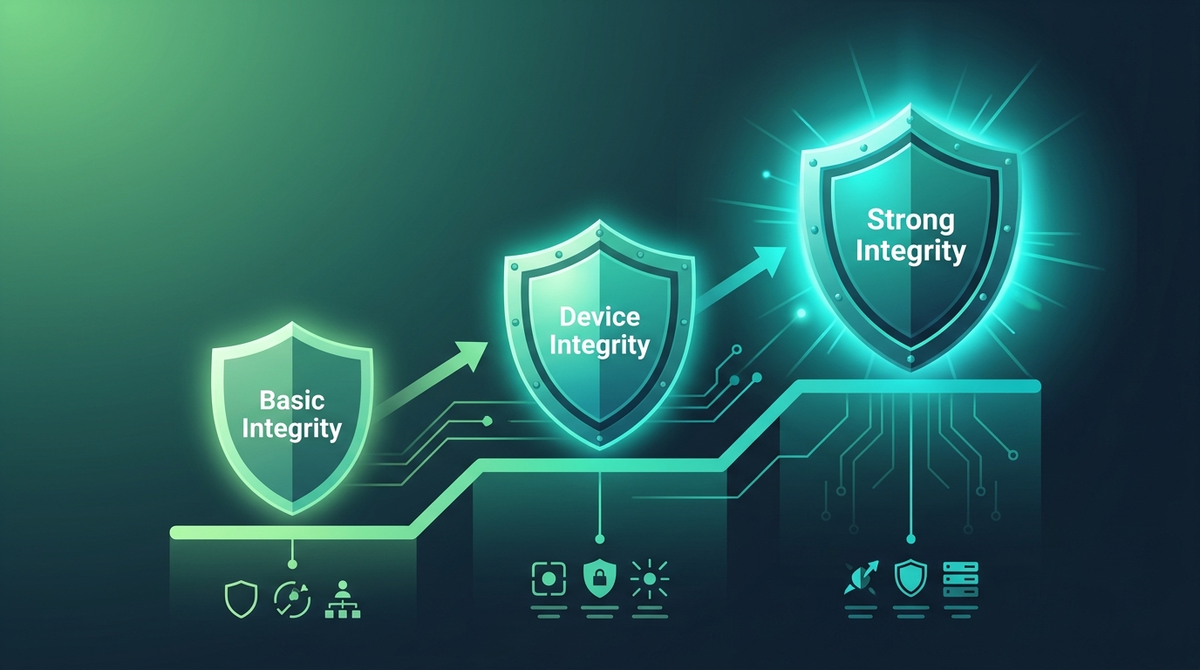
Play Integrity in plain English: the three levels
Play Integrity API is Google's replacement for the old SafetyNet. When an app asks, Google returns a verdict with up to three labels. Understanding which one your app actually needs is the whole game — most people chase the hardest level when they do not need to.
| Verdict | What it proves | What it takes on a rooted device |
|---|---|---|
| MEETS_BASIC_INTEGRITY | The device looks like a real Android device. | Achievable with a clean hide stack + a fingerprint spoofer. No keybox needed. |
| MEETS_DEVICE_INTEGRITY | A Google‑certified device in good standing. Needed by Google Wallet/GPay and most banks. | Since May 2025, Google requires hardware‑backed proof of a locked bootloader on Android 13+. This is the level an unlocked bootloader now fails by design. |
| MEETS_STRONG_INTEGRITY | Hardware‑backed key attestation from the device's TEE. | Requires a valid, non‑revoked hardware keybox plus a security patch within ~12 months on all partitions. The hardest level to spoof and the least stable. |
Key takeaway: most banking apps need device integrity, not strong. A common mistake is burning days chasing strong integrity (and unstable keyboxes) when your bank only checks device integrity plus its own root checks.
What changed in 2025–2026 (and why old guides fail)
The reason a guide from 2024 no longer works is that Google tightened several screws in quick succession:
- May 2025 — hardware‑backed bootloader attestation. On Android 13+, an unlocked bootloader now fails DEVICE integrity at the hardware level. Pure software spoofing is no longer enough on its own; you need a keystore‑attestation layer (Tricky Store) or a kernel‑level approach.
-
December 2025 —
spoofVendingSdkretired. The old trick of downgrading the apparent SDK to dodge the stricter Android 13+ check stopped working after a Google Play system update. Guides that still tell you to setspoofVendingSdk=1are out of date. - October 2025 — "deviceRecall." Google added a developer‑controlled API that lets an app write a small persistent flag to Google's servers that survives app reinstall and a factory reset. It is opt‑in for developers (Google does not flag you automatically), but it means a failed check can leave a lasting mark for apps that use it.
- February 2026 — platform root‑certificate rotation. Google rotated the Android platform attestation root. Apps that use direct key attestation needed to update; users on older banking‑app versions may see new, unexplained failures.
The practical lesson the community repeats constantly: this is a cat‑and‑mouse game, and no configuration stays working forever. Treat any setup as temporary.
The toolchain, layer by layer
Every setup that can pass Play Integrity is a stack of cooperating pieces. Mixing the wrong ones is the number‑one cause of failure. Here is what each layer does.
1. The root manager
- Magisk (and the bleeding‑edge Magisk Alpha/Kitsune) patches the boot ramdisk in userspace and includes Zygisk + DenyList. Easiest to start with; the most widely detected by package name, so app‑list hiding is mandatory.
- KernelSU and especially KernelSU‑Next (KSUN, by RifsxD) patch the kernel itself. Kernel‑level root hides better and, with SUSFS, is the community's preferred path for strict banking apps. Needs a compatible GKI kernel (Android 12+/kernel 5.10+) or a custom kernel build.
- APatch is a GUI wrapper around KernelPatch with its own KPM modules. It does not bundle Zygisk — you add ZygiskNext separately — and Shamiko does not support it (use the ReZygisk + TreatWheel path instead).
- SukiSU‑Ultra is a KernelSU fork with KPM support, popular for non‑GKI devices via AnyKernel3 builds.
2. The Zygisk provider
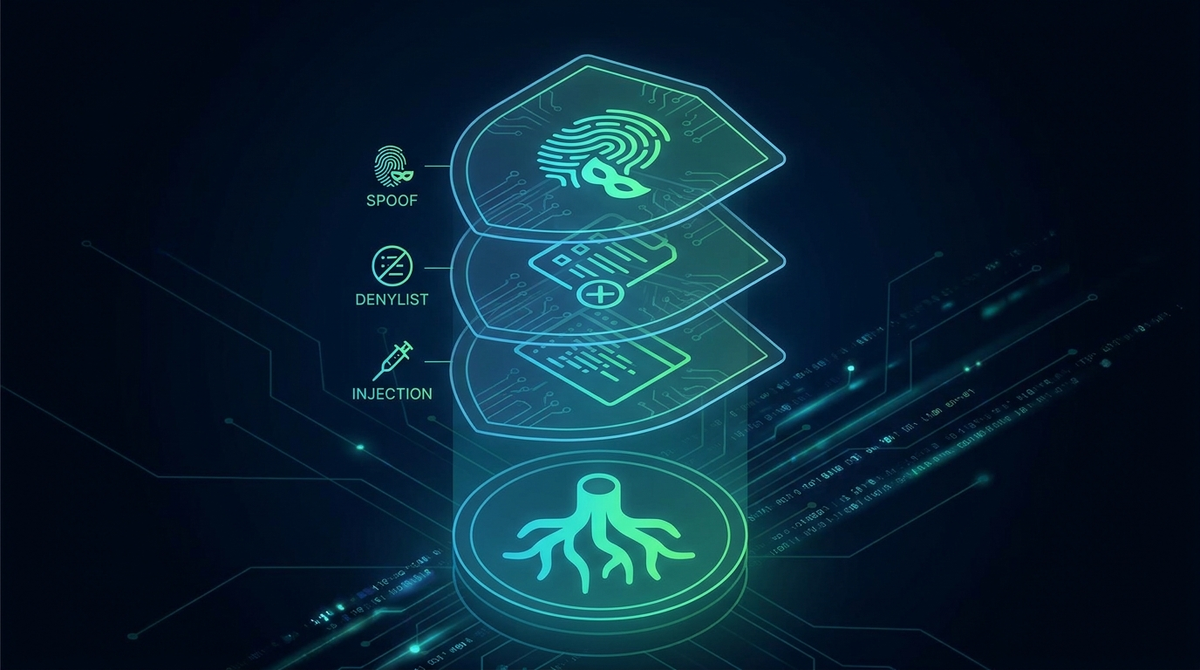
Zygisk is the injection framework that lets hiding modules run. Magisk has it built in; kernel roots need a standalone provider: ZygiskNext, NeoZygisk, or the open‑source ReZygisk (rewritten in C after ZygiskNext went partly closed‑source). Use exactly one. A critical, counter‑intuitive setting: in ZygiskNext you must turn Enforce DenyList OFF — leaving it on both breaks Shamiko and trips strong integrity.
3. The root hider
- Shamiko (LSPosed team) is the standard Zygisk hider. By default it reads Magisk's DenyList and hides root from the apps on that list — it is a denylist by function (its separate, opt‑in "whitelist mode" is for testing only and is performance‑heavy). Shamiko works with ZygiskNext, not ReZygisk.
- SUSFS is a set of kernel patches that hide root files, mounts and the tell‑tale "KSU" kernel string at the filesystem/syscall layer. It is highly effective against userspace detection, but it is not a magic bullet and not technically a Linux Security Module — TEE/hardware signals can still expose you. It requires a SUSFS‑patched kernel.
- Hide My Applist (HMA) is an LSPosed module that stops apps enumerating your installed packages — essential for hiding your root manager, LSPosed and custom‑ROM packages from banking apps.
- Sensitive Props cleans build properties (bootloader state, build type) that betray a modified device.
4. The integrity spoofers
- Play Integrity Fix / Fork. Be careful here, because most guides oversimplify it: the popular PIF Fork (osm0sis) primarily fixes the pre‑Android‑13 verdict path; on Android 13+ its role is limited (it still helps Wallet/RCS in places). For A13+ basic‑level spoofing, the chiteroman‑lineage and KOWX712 forks are more commonly used. Try more than one — device/ROM combinations differ.
-
Tricky Store (5ec1cff) does two jobs: it injects a keybox into key attestation for apps you list in
target.txt, and it can spoof the bootloader as "locked" to those apps. It has been closed‑source since v1.1.0 due to misuse; an open alternative, TrickyStoreOSS, exists if you want auditable code. Tricky Addon (KOWX712) adds the WebUI and target‑list management.
The honest truth about keyboxes and STRONG integrity
This is where most newcomers lose money and patience, so read it twice.
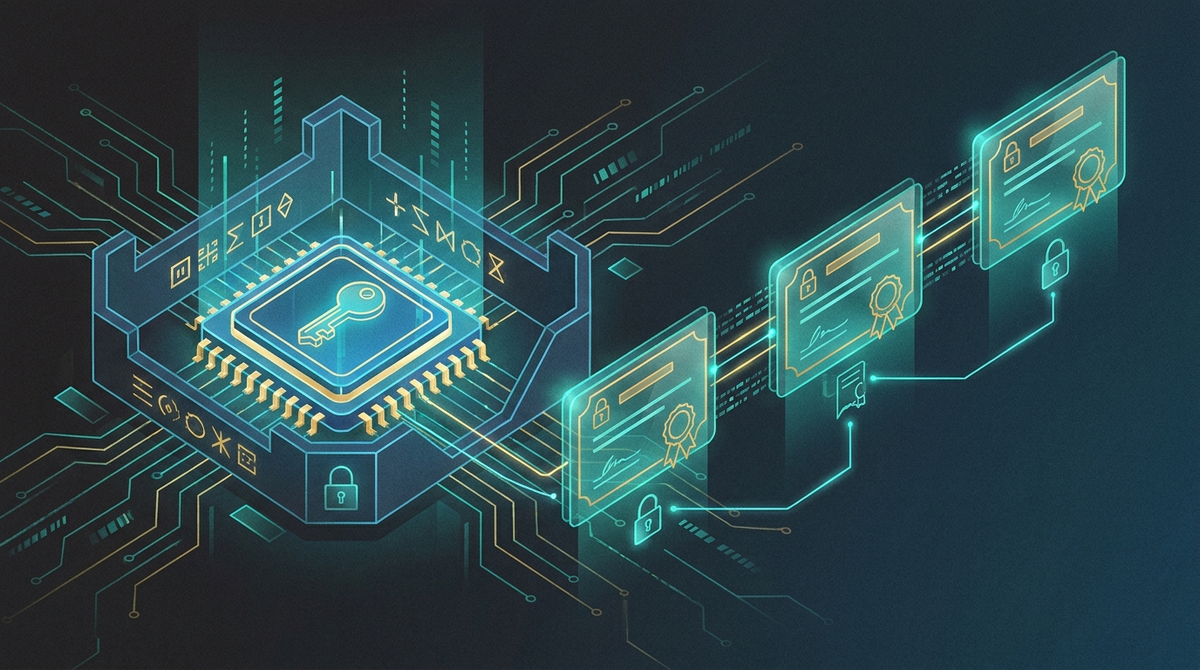
- You cannot extract a keybox from your own device. The attestation key lives inside the TEE, hardware‑encrypted. Anyone selling "extracted" or "real‑device" keyboxes for $50–$200 is running a scam — this warning comes directly from the developer of the community's keybox checker.
- Valid keyboxes are leaked, scarce, and quickly revoked. Google actively crawls for shared keyboxes and revokes them. A keybox that passes today can be dead tomorrow; the more widely a keybox is shared, the faster it dies. The bundled keybox in popular all‑in‑one modules was revoked shortly after release.
-
Always validate before you trust. Check any
keybox.xmlwith a reputable keybox checker; a TEE certificate markedREVOKED: KEY_COMPROMISEwill never pass strong integrity, no matter what else you do. - "Fake strong" has a cost. Forcing a pass with a revoked keybox via provider spoofing can satisfy the API momentarily but breaks Google Wallet — and is exactly the kind of fragile state that fails the next time Google tightens a check.
- Keybox files can be malicious. There is no reliable public source; files passed around forums can carry risk. If you do not strictly need strong integrity, do not chase it.
Bottom line: strong integrity is a treadmill. For most users, a clean hide stack that passes device integrity, plus per‑app hiding, is the realistic goal.
Why your bank still detects you (even when integrity passes)
Passing the API is only one check. Even when you pass Play Integrity, banking and anti‑cheat apps layer their own root detection on top — which is why "I pass strong integrity but my bank still fails" is so common. Real detection vectors the community tracks include:
- Mount and filesystem traces — Magisk's magic‑mount changes the mount namespace ID and can redirect ART runtime files; detectors look for both.
-
The "KSU" kernel string in
unameon KernelSU devices (hidden by SUSFS's spoof‑kernel‑version option). - Installed‑package scans that spot your root manager, LSPosed or custom‑ROM packages (hidden with HMA).
- Zygisk injection signatures — some apps catch a "Zygisk pid"; fixes are version‑specific (e.g. certain banks only pass on particular ZygiskNext/kernel combinations).
- Per‑app and server‑side logic — some apps only check during a transaction, and a few (e.g. certain Brazilian banks) appear to verify server‑side, where no client‑side hiding helps.
The community validates setups against a rotating suite of detector apps (Native Detector, Holmes, Hunter, Momo, Ruru, Applist Detector and others) before trusting them with a real bank — a sensible habit to copy.
Device and ROM realities
Two factors decide most of your success before you install a single module:
- Stock ROM beats custom ROM. A signed, official ROM with a recent security patch passes far more easily. Custom ROMs add detectable signals (userdebug builds, old patches, LineageOS/AOSP package names).
- Your hardware matters. Pixels are the best‑supported for this work. Samsung permanently trips the Knox e‑fuse on unlock (killing Samsung Pay/Health and voiding warranty for good). Xiaomi/HyperOS adds aggressive anti‑root checks and an unlock waiting period. BBK devices (OnePlus/Realme/Oppo) can lose Widevine L1 (HD Netflix) if the TEE breaks on unlock. Huawei/Honor generally cannot be unlocked officially at all.
The risks you must accept first
- Bricking. Flashing the wrong boot/kernel image — especially one‑file KernelSU kernels on the wrong device — is the classic way to boot‑loop or brick. Verify your exact device codename and kernel version every time.
- Warranty and OTA. Unlocking voids warranty (permanently on Knox/Huawei), and OTA updates will break or remove root, which can leave you on an outdated, less‑secure build.
- Account and banking bans. Some banks suspend accounts tied to devices that fail integrity during enrolment. Test with care; a failed check is not always reversible.
- Security regression. Root weakens Android's security model. Any app you grant root can read every other app's data. Hiding modules reduce detectability, not the underlying exposure.
A simpler path
If reading the above has you wondering whether chasing the ability to pass Play Integrity is worth the squeeze, that is a reasonable conclusion — for many people it is not. The honest options are: keep a clean, well‑hidden device and accept that strong integrity is unstable; keep a second, unrooted device or profile for banking; or choose a phone that is set up the way you want from the start. At PrivacyPortal we live in this world daily — we can advise on what is realistically achievable for your specific bank and device, or supply a phone configured for privacy without the trial‑and‑error. There is no shame in deciding the treadmill is not for you.
To compare ready-made options, our Magisk-rooted phones and KernelSU Next + SUSFS Pixels list the exact model, condition and root setup on each page, and every phone is tested before dispatch.
Frequently asked questions
Do I need strong integrity for my banking app?
Usually no. Most banks and Google Wallet need device integrity plus their own root checks. Confirm what your app actually requires before chasing strong integrity and keyboxes.
Should I use ZygiskNext or ReZygisk?
Use one only. ZygiskNext pairs with Shamiko (Enforce DenyList OFF). ReZygisk pairs with TreatWheel or Zygisk‑Assistant — Shamiko does not work with ReZygisk. Pick based on what is stable on your device.
Where do I get a valid keybox?
There is no safe, reliable public source, and you cannot extract one from your device — any "extracted keybox" seller is a scam. Valid keyboxes are leaked and revoked quickly. If you do not strictly need strong integrity, do not rely on one.
Is KernelSU‑Next better than Magisk for hiding?
For strict apps, many users find kernel‑level root (KernelSU‑Next + SUSFS) hides better than Magisk, because it can hide at the filesystem/syscall layer. Magisk is easier to set up; KSU‑Next needs a compatible kernel.
Why did my setup suddenly stop working?
Google changes the checks, or your keybox was revoked, or a module update introduced an incompatibility. This ecosystem is a moving target — expect to re‑tune periodically.
Does an unlocked bootloader fail Play Integrity?
On Android 13+, yes — since May 2025 an unlocked bootloader fails device integrity by hardware design unless a keystore‑attestation layer (e.g. Tricky Store with a valid keybox) convincingly spoofs a locked state.
Modules, apps & files to try
Here are the actual tools the rooting community uses for this, each linked to its official source. They're third-party community projects, so download only from the official page below, back up your boot.img first, and follow each project's own instructions. PrivacyPortal isn't affiliated with these projects and can't guarantee third-party files — flash at your own risk.
| File | What it is & how to use it safely |
|---|---|
| Play Integrity Fork (GITHUB) | Community-maintained fork of Play Integrity Fix that spoofs device fingerprint and build properties so a rooted phone returns BASIC and DEVICE (and sometimes STRONG) Play Integrity verdicts. Legitimate open-source Magisk/Zygisk module (GPL-3.0), not malware or a paid-keybox scam. Only download from the official GitHub Releases page and verify the GPG-signed asset. Flashing carries real risk: back up your boot.img before installing and know how to restore via fastboot if a verdict-spoofing module causes a bootloop or breaks a banking app. Results are not guaranteed and Google can break spoofing at any time. Note this is a fork of the older Play Integrity Fix, so do not confuse the two repos. |
| Tricky Store (GITHUB) | Magisk/KernelSU module that spoofs the TEE/hardware key-attestation chain via a target.txt list, using '!' (force) and '?' (conditional) modes; required for the STRONG Play Integrity verdict and strict banking apps. Real, widely-used Magisk/KernelSU/APatch module (6.1k+ stars), not malware and not a paid app — the module itself is free. Download ONLY from the official repo at github.com/5ec1cff/TrickyStore (Releases tab); it has been closed-source since v1.1.0, so treat any third-party reupload as suspect. Two honest caveats for readers: (1) it needs an unrevoked keybox.xml to work, and people SELLING keyboxes are running a scam — never recommend or buy one; keyboxes cannot be 'extracted' on demand. (2) Back up boot.img before flashing — a bad attestation/root setup can soft-brick or trip banking apps. An auditable GPLv3 fork (beakthoven/TrickyStoreOSS) existed but was archived Dec 2025, so it is no longer maintained. |
| Tricky Addon - Update Target List (GITHUB) | Companion WebUI module for Tricky Store that loads custom keybox.xml keys and lets you choose exactly which apps receive the spoofed attestation, with an updatable target list. Legitimate open-source (Apache-2.0) companion WebUI for Tricky Store — it lets you choose which apps receive the spoofed attestation and load YOUR OWN keybox.xml; it does NOT sell or "extract" keyboxes (paid keybox sellers are scams — avoid them). Only download from this official GitHub repo, verify you're on KOWX712's repo (not a lookalike fork), and back up your boot.img before flashing on a rooted device. A valid keybox must come from a source you trust; a leaked/banned keybox will fail integrity. |
| ReZygisk (GITHUB) | Open-source Zygisk (Zygote injection) implementation that brings Zygisk to Magisk, KernelSU and APatch, so Zygisk-based hiding modules can run regardless of root manager. Legitimate open-source community module (a fork of Zygisk Next), not malware or a keybox scam. Verified via the GitHub API: repo is active (not archived/disabled), ~3.6k stars, last pushed May 2026, with a real signed v1.0.0 release (10 May 2026). Only download from this official PerformanC GitHub repo — Telegram links and mirror sites can serve tampered builds. As with any flashable root module, back up your boot.img before flashing and be ready to restore; a bad flash can bootloop the device. |
| Zygisk Next (GITHUB) | Standalone Zygisk reimplementation for Magisk/KernelSU/APatch; the specific Zygisk provider that Shamiko requires (Shamiko does NOT work on ReZygisk). Legitimate, actively maintained Zygisk provider — verified via GitHub API: repo NOT archived, last push 2026-06-18, latest release v1.4.0 (2026-06-18), with a steady 2025-2026 release cadence and ~9.7k stars. Standalone Zygisk implementation for Magisk/KernelSU/APatch; no sign of malware or keybox sales. Two reader caveats: (1) the project went closed-source (proprietary license, no longer GPL) — older "LSPosed team death / archived" claims circulating online are stale and do NOT reflect the current live repo, but only download release ZIPs from this official Dr-TSNG GitHub, never Telegram/mirror reuploads. (2) The community note's claim that "Shamiko does NOT work on ReZygisk" is outdated — as of 2026 Shamiko also works on ReZygisk (the open-source fork); soften that wording in the blog. As always, back up your boot.img before flashing any root module. |
| Shamiko (GITHUB) | Zygisk module that hides root, Zygisk and the Magisk DenyList from detection apps; works only with Zygisk Next, and you must NOT enable 'Enforce DenyList' when using it. Official open-source Zygisk module from the LSPosed org. Latest is Shamiko 1.2.5 (tag shamiko-414, 18 Jun 2026); the candidate .zip URL exactly matches the official shamiko.json update manifest, so it is authentic. Only download from this LSPosed GitHub releases page (third-party mirror sites like magiskzip/magiskroot are not official). Before flashing: back up your boot.img/stock partitions, and note you must turn OFF Magisk's "Enforce DenyList" for Shamiko to work — it reads, but does not enforce, the DenyList. |
PrivacyPortal sells ready-to-use, de-Googled GrapheneOS Pixels — hardened, kept updated, and shipped with our encrypted Graphite messenger. Browse privacy phones →


