

TL;DR: Frida Android offers three practical routes. Server gives broad, live access but usually needs root. Gadget embeds Frida inside an app and can work without root. frida-inject is a focused command-line client, not a root bypass. Choose by access level, app ownership and test scope.
By the PrivacyPortal team
Last updated August 2026
For most rooted test devices, Frida Server is the quickest option. Frida Gadget suits an app you own or may lawfully rebuild and sign. frida-inject is useful when you want a small, script-led session. Every frida android route can change app behaviour or expose sensitive process data. Use it only on your own device and with apps you are authorised to test.
Back up first. Unlocking an Android bootloader wipes user data. It can affect warranty support, over-the-air updates and device security. Root or an unlocked bootloader may also break banking, media and work apps. No Frida setup can promise to pass a bank's checks or Play Integrity.
Frida 17.17.0 was released on 5 August 2026. Server, Gadget and frida-inject remain active components.
Frida Gadget vs Server vs frida-inject
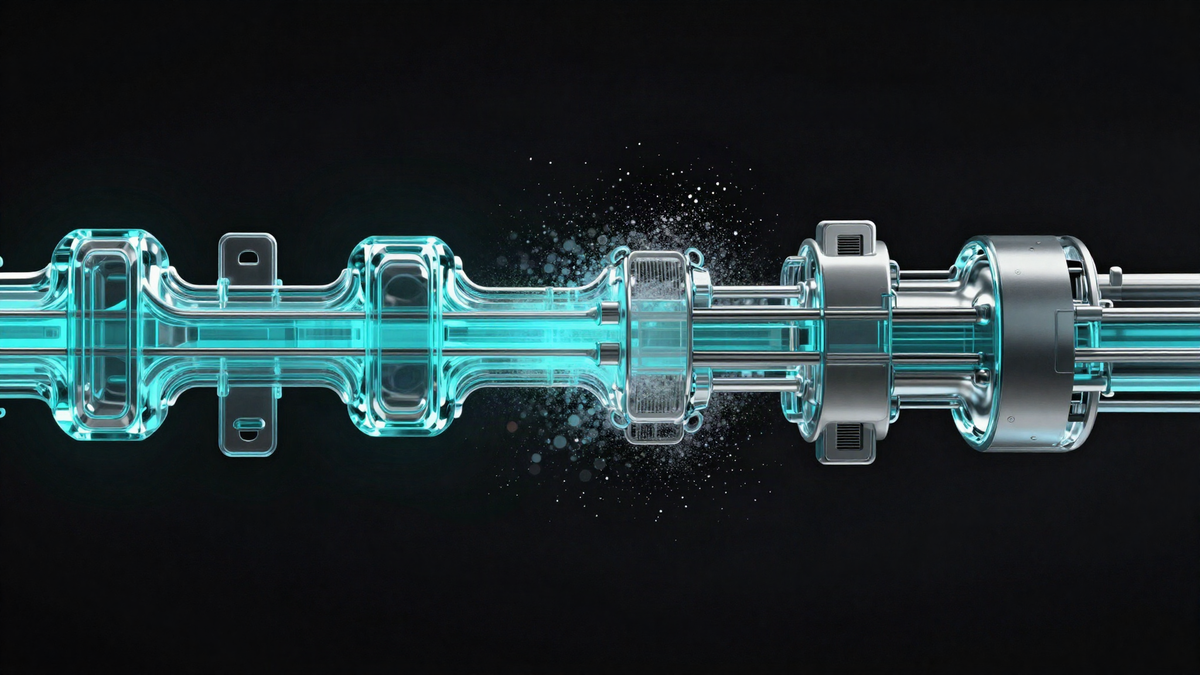
The key difference is where the Frida runtime lives. Server runs as a service on Android. Gadget is a shared library loaded by one app. frida-inject is a host-side client which sends a script into a target through an available Frida connection.
| Option | Best fit | Root needed? | Main trade-off |
|---|---|---|---|
| Frida Server | Whole-device testing and rapid process switching | Usually | Large attack surface and easy for apps to notice |
| Frida Gadget | One app you own or may rebuild | Not usually | The APK must load Gadget and often needs signing again |
| frida-inject | Small, repeatable JavaScript probes | Depends on Server or Gadget | It supplies no privileged Android transport by itself |
A comparison diagram would show Server beside Android, Gadget inside an app, and frida-inject controlling either route.
When Frida Server is the sensible choice
Use Server for a dedicated rooted test phone. It can list processes, spawn apps and attach to running targets. This makes it efficient when you move between several apps.
The server binary must match both the Frida version and device architecture. A 17.16 client talking to a 17.17 server may fail or behave oddly. A 64-bit phone may still run a 32-bit target, so check the app as well as the device.
A frida server android setup has broad access when started as root. Stop it when testing ends. Do not expose its listening port to Wi-Fi or an untrusted network.
When Frida Gadget is the better fit
Gadget is useful when root is unavailable but you control the application package. The app loads a Frida shared library during start-up. Your workstation then connects to that embedded runtime.
Rebuilding changes the APK signature. Existing app data may become unusable, and signature-protected services may fail. Server-backed APIs can also reject the altered package. Gadget is therefore strongest for development builds and authorised lab copies.
What frida-inject actually does
frida-inject is a slim alternative to the interactive Frida shell. It loads JavaScript from a file or command-line expression. It is useful for repeatable probes and short automation tasks.
It does not magically inject through Android security boundaries. On a normal device, it still needs Frida Server, Gadget or another valid Frida transport. Treat “frida inject android without root” claims with care when they omit this requirement.
How to use frida android with Server
This numbered workflow installs Frida 17.17.0 on a rooted, disposable test device.
- Back up the phone, authenticator recovery codes and any files you cannot replace.
- Install current Android Platform Tools. Confirm that adb devices lists the authorised phone.
- Run adb shell getprop ro.product.cpu.abi to find the device architecture.
- Install the host tools with py -m pip install --upgrade "frida==17.17.0" frida-tools.
- Run frida --version. It should report 17.17.0.
- Get the matching Server archive named in the “Modules, apps & files to try” section. Extract its .xz wrapper.
- Push it with adb push frida-server-17.17.0-android-arm64 /data/local/tmp/frida-server-17.17.0. Adjust the architecture if needed.
- Run adb shell su -c "chmod 755 /data/local/tmp/frida-server-17.17.0".
- Start it with adb shell su -c "/data/local/tmp/frida-server-17.17.0 >/dev/null 2>&1 &".
- Verify the connection with frida-ps -U, then attach only to an app you may test.
Prerequisites and safety checks
The official Frida Android guide should be the baseline for platform setup. Use a spare phone or emulator rather than your daily device. Keep its screen unlocked during the first ADB connection.
Rooting is outside Frida's job. If root is not already present, do not unlock or patch the phone merely to follow this tutorial without first reading a device-specific guide. Our Android bootloader unlocking guide explains the wider risks.
Android's documented bootloader unlocking flow performs a factory data reset to prevent unauthorised access to existing user data.
How to verify and stop Server
frida-ps -U should return a process list. Test a harmless package listing before attaching to a target. If it times out, compare versions and check that Server is running as root.
A terminal capture would show Frida 17.17.0 and a successful process list from the connected Android test phone.
After testing, run adb shell su -c "pkill -f frida-server". Remove the binary from /data/local/tmp if the device will return to normal use.
How to prepare Frida Gadget Android builds
Download the Gadget file matching the app's application binary interface, or ABI. An arm64 phone can still host a 32-bit-only app. Inspect the APK's native library folders before choosing a file.
For an arm64 test build, rename the extracted library to libfrida-gadget.so. Place it under lib/arm64-v8a/. The application must call System.loadLibrary("frida-gadget") early enough for the intended test.
Rebuild and sign the APK with your own development key. Android will not install it as an update over a package signed by someone else. Uninstalling the original package normally removes its local data, so export permitted data first.
A package layout image would show libfrida-gadget.so and its matching configuration file inside the arm64-v8a folder.
Configure and connect to Gadget safely
Create a matching configuration file named libfrida-gadget.config.so. A basic configuration uses a listen interaction, address 127.0.0.1 and port 27042. Keep the address local to the device.
Start the rebuilt app, then run adb forward tcp:27042 tcp:27042. Check the endpoint with frida-ps -H 127.0.0.1:27042. A connection failure often means the app did not load the library or the process stopped before Gadget started.
The official Frida Gadget documentation defines Listen as the default interaction, using 127.0.0.1 and port 27042.
How to use frida-inject on Android
Create a file named probe.js with a harmless probe. For example, use Process.enumerateModules().slice(0, 5).forEach(function (module) { console.log(module.name); });. This prints five loaded module names without changing app logic.
With Server running, inject it into an authorised running process using frida-inject -U -n com.example.test -s probe.js. Use the real package or process name. For your own app, -f com.example.test can start the target under Frida.
With Gadget listening through ADB forwarding, replace -U with -H 127.0.0.1:27042. Keep probes small at first. A syntax error, wrong function signature or early hook can stop the app.
A practical decision framework
- Choose Server when the device is rooted, isolated and used for broad research.
- Choose Gadget when you own the app build and need a rootless, app-scoped route.
- Choose frida-inject when you already have a connection and want repeatable script execution.
- Choose an emulator when unlocking a physical phone would risk important data or daily services.
- Stop when you lack permission to rebuild, attach to or inspect the target.
In practice, Server is fastest for exploration. Gadget gives tighter scope but needs more build work. frida-inject improves repeatability after the transport problem is solved.
Common Frida Android failures
- Unable to communicate with remote frida-server: the client and Server versions differ, or the process has stopped.
- Exec format error: the Server binary uses the wrong ABI.
- Permission denied: the file is not executable, root failed, or the location is mounted with execution blocked.
- App exits after Gadget is added: check ABI, loading order, APK signing and native dependency extraction.
- Attach works but hooks fail: the class or library may not be loaded yet. Delay the hook or observe module loading.
- USB device is missing: reconnect ADB, accept the phone's authorisation prompt and check the cable mode.
- App detects the test environment: Frida is an instrumentation toolkit, not a stealth guarantee.
Avoid downloading renamed Server or Gadget binaries from random mirrors. Use the official release and verify the archive before moving it onto a privileged device.
Frida, root detection and Play Integrity
Play Integrity and app-level modification checks are separate systems. A device may receive an acceptable integrity verdict while an app still finds root, an unlocked bootloader, Frida or altered package files.
Frida Server leaves a privileged process and listening service. Gadget changes an application's native files and signature. Either can trigger security controls. Root managers, Zygisk frameworks and suspicious mounts add further signals.
Do not test banking, wallet or work apps unless you own the test environment and have permission. Never rely on a module or script to defeat a named bank's checks. Detection changes on both the client and server side.
For a safer daily device, keep research on an emulator or separate handset. Readers considering a cleaner platform can also see our guide to de-Googled Android phones.
Frequently asked questions
Does Frida need root on Android?
Frida Server normally needs root for broad process access. Gadget can work without root when an app you control loads it. frida-inject inherits the access provided by Server or Gadget.
Is Frida Gadget better than Frida Server?
Neither is universally better. Server is easier for whole-device testing. Gadget is more suitable for one authorised app on a non-rooted device. Gadget needs package changes and usually a new signature.
Can I install Frida without unlocking the bootloader?
Yes, in some cases. You can use Gadget in your own application or use a suitable emulator. A physical device needs no unlocked bootloader merely to install the host tools. Rooted Server access is a separate requirement.
Can apps detect Frida?
Yes. Apps may look for known processes, ports, library names, memory patterns, modified signatures or unexpected hooks. Frida provides instrumentation, not invisibility. Renaming one file does not remove every signal.
Will Frida make banking apps stop working?
It can. Root, bootloader state, injection frameworks and package changes may each trigger controls. Passing Play Integrity does not guarantee that a specific app will run. Use a separate test device and keep daily financial apps outside the lab.
Why does frida-ps work while my script fails?
The connection can be healthy while the script targets the wrong process, class, method overload or architecture. Start with a read-only module probe. Add one hook at a time and watch the device log for the first failure.
Use Frida as a controlled test instrument
A sound frida android setup starts with a backup, matching 17.17.0 components and a device you can safely recover. Server offers reach, Gadget offers app-level scope, and frida-inject offers repeatable scripting. Keep the connection local, stop privileged services afterwards and treat every modified APK as a separate test build.
PrivacyPortal sells ready-to-use, de-Googled GrapheneOS Pixels — hardened, kept updated, and shipped with our encrypted Graphite messenger. Browse privacy phones →


