

TL;DR: Remote Key Provisioning (RKP) is Google's method of issuing hardware attestation certificates over the internet instead of burning permanent keys into a phone at the factory. Every device that launches on Android 16 uses RKP only. It doesn't detect or block root, but it hardens the hardware attestation chain — so passing the strongest Play Integrity checks on a rooted, bootloader-unlocked phone stays fragile.

By the PrivacyPortal team. Last updated July 2026.
If you have searched for how remote key provisioning on Android affects rooting, here is the complete picture. RKP changes where your phone's hardware attestation key comes from: instead of a permanent certificate burned in at the factory, your device generates a key inside its secure hardware and asks Google's servers to sign a short-lived certificate for it. Google made this mandatory for every phone that launches with Android 16. For root users, nothing about root itself is newly blocked — but RKP tightens the hardware-backed attestation chain that the strongest Play Integrity verdicts rely on. Because an unlocked bootloader already breaks that chain, spoofing your way to a hardware-backed pass remains a fragile, cat-and-mouse exercise.
What is Remote Key Provisioning (RKP)?
Remote Key Provisioning (RKP) is a system that provisions hardware key-attestation certificates over the network rather than embedding a permanent signing key in each device during manufacturing. Hardware key attestation is how an app can ask your phone to cryptographically prove it is genuine hardware running untampered firmware — banking and wallet apps lean on it heavily.
Here is what actually happens under RKP. Your device generates an attestation key pair inside its secure hardware — the Trusted Execution Environment (TEE), an isolated processor region, or a dedicated StrongBox security chip. The private key never leaves that hardware. The device then sends a certificate signing request (CSR) to Google's backend, which verifies the device and returns a signed leaf certificate. Apps that request attestation receive a short-lived ECDSA P-256 certificate — an elliptic-curve key valid for roughly two months before it is rotated.
RKP first arrived in Android 12 in 2021 as an option. Its purpose is damage control: if a factory-provisioned key ever leaked, every device sharing it could be spoofed indefinitely. Short-lived, remotely issued certificates shrink that blast radius dramatically.
Remote Key Provisioning first shipped in Android 12 (2021); under AOSP policy, devices that launch on Android 16 support RKP only, with factory-provisioned attestation keys phased out for new hardware.
A simplified view of the RKP flow: the device generates a key inside secure hardware, sends a certificate signing request, and Google returns a short-lived leaf certificate.
Factory-provisioned keys vs remote provisioning
| Aspect | Factory-provisioned (pre-Android 16 default) | Remote Key Provisioning (Android 16 RKP) |
|---|---|---|
| Where the key originates | Burned into the TEE at manufacture | Generated on-device; certificate signed by Google |
| Certificate lifetime | Permanent | Short-lived leaf certs (~2 months), then rotated |
| If a key leaks | Whole model spoofable long-term | Limited blast radius, quickly rotated out |
| Root of trust (2026) | Older root key | Migrating to an ECDSA P-384 root |
| Bootloader unlocked | Attestation reports the unlocked state | Same — attestation still reflects unlocked state |
Why Android 16 makes RKP mandatory for new devices
The shift is a launch requirement, not a retroactive switch. Under AOSP policy, any phone that ships with Android 16 out of the box must support RKP and can no longer rely on factory-provisioned attestation keys. Devices that started life on Android 15 or earlier and later update to Android 16 generally keep their existing factory keys, so the change is felt first on brand-new 2026 hardware.
Google's motivation is straightforward supply-chain security. Factory key injection requires trusting every manufacturing line with long-lived secrets; RKP moves that trust to a central, auditable service and makes leaked keys far less useful. For the wider ecosystem this is a genuine security win. For anyone doing Android 16 rooting, it is one more sign that hardware attestation is getting steadily harder to fake.
What RKP means for root users: the honest reality
Let's be clear about what does and does not change. RKP does not scan for, detect, or block root. You can still unlock your bootloader and flash Magisk or KernelSU on an Android 16 device exactly as before. What RKP does is harden the hardware attestation chain — and that chain is what Play Integrity's top verdict inspects.
The catch predates RKP: the moment you unlock your bootloader, the device's attestation honestly reports that verified boot is broken. No module changes that hardware truth. RKP simply makes the surrounding certificate infrastructure cleaner and harder to impersonate with a stolen or leaked keybox. So for Android root access under RKP, the takeaway is "same game, slightly harder board."
In practice, most rooted users never needed hardware-backed attestation anyway. They pass the basic and device verdicts by spoofing software signals — and those routes still work, for now.
An unlocked bootloader breaks hardware-backed verified boot, so no root-hiding module can produce a genuine hardware-backed attestation pass — RKP or not.
A rooted Android 16 device booting normally with Magisk installed — root itself is untouched by RKP; only the hardware attestation chain is affected.
How RKP and Play Integrity actually connect
RKP and the Play Integrity API are separate systems that meet at one point: hardware attestation. Play Integrity returns up to three labels, and only the strongest one leans on the hardware chain that RKP secures.
| Verdict | What it checks | Typical root impact |
|---|---|---|
| MEETS_BASIC_INTEGRITY | Device looks plausible, not obviously emulated | Usually passable with good root hiding |
| MEETS_DEVICE_INTEGRITY | Genuine device with untampered software signals | Passable via spoofing modules, but fragile |
| MEETS_STRONG_INTEGRITY | Hardware-backed attestation plus a recent boot | Very hard with an unlocked bootloader |
Most banking and wallet apps request device integrity; a smaller but growing number check strong integrity. RKP mainly affects that strongest tier. If an app you rely on demands STRONG_INTEGRITY, an unlocked, rooted phone is fighting uphill, and no module can honestly promise a pass.
The 2026 root-certificate migration to ECDSA P-384
Through 2026 Google is rotating the attestation root of trust to a stronger ECDSA P-384 key. In plain terms, the master certificate that vouches for the whole attestation chain is being upgraded to a larger elliptic curve. This does not add a new "anti-root" feature; it tightens cryptographic trust so that older, leaked, or forged trust anchors stop validating.
For the modding community the knock-on effect is practical: keyboxes — the attestation key bundles some modules inject to fake hardware attestation — that chain to retired or revoked roots simply stop working. This is why keybox-based tricks are a moving target: leaked keyboxes get revoked, and the root migration accelerates that churn.
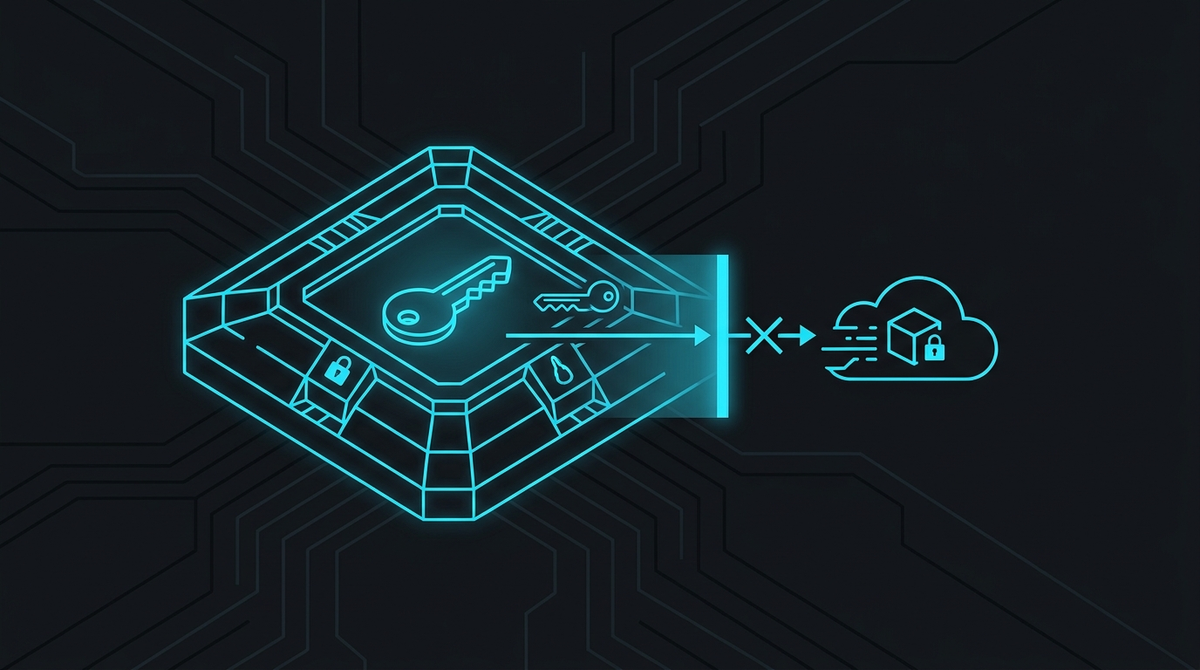
A 2026 migration to an ECDSA P-384 attestation root further hardens the chain that Play Integrity's strongest verdict depends on.
How to check your attestation and integrity status on Android 16
You can't change hardware attestation truth, but you can measure exactly where your device stands and test whether root-hiding modules improve your verdicts. This is the safe, verifiable workflow experienced flashers actually use. Every module named here is linked in the "Modules, apps & files to try" section at the end.
Before you start — non-negotiable prerequisites:
- Back up everything. Unlocking a bootloader erases all data on the device, and flashing carries a real risk of a soft-brick. If you're new to this, read our guide on how to unlock your bootloader safely first.
- A working root solution: Magisk or KernelSU with Zygisk (or Zygisk Next) enabled.
- USB debugging and a PC with platform-tools (adb/fastboot) ready in case a reboot loop hits.
- Accept the trade-offs: unlocking breaks hardware attestation, can block OTA updates, may void warranty, and weakens verified-boot security.
- Record your baseline. Install an integrity checker such as Play Integrity API Checker or Native Detector and run it before changing anything. Note which of the three verdicts currently pass.
- Confirm your root manager. Open Magisk or KernelSU and verify Zygisk is on. Reboot if you just enabled it.
- Install Play Integrity Fix (PIF). Flash the current Play Integrity Fix module to spoof a certified device fingerprint for the software-based verdicts.
- Add TrickyStore only if you're targeting hardware attestation. TrickyStore intercepts keystore attestation to present a keybox. Understand that its effectiveness depends on a non-revoked keybox and can break after any root-certificate rotation.
- Hide root from sensitive apps. Use the Magisk DenyList (with Shamiko) or KernelSU's app profiles to hide root from the specific apps you care about, then force-stop them.
- Clear Google Play state. In Settings, clear cache and storage for Google Play Services and Google Play Store so fresh integrity tokens are requested.
- Reboot and re-test. Reboot, reopen your checker app, and compare the verdicts against your baseline.
How to verify it worked: re-run the integrity checker. Success looks like basic and device integrity now passing where they previously failed. If STRONG_INTEGRITY still fails, that is expected on an unlocked bootloader — it is the honest result of broken hardware-backed verified boot, not a mistake in your setup.
An integrity checker showing basic and device verdicts passing while the strong, hardware-backed verdict fails — the typical outcome on a rooted, bootloader-unlocked phone.
Common RKP and integrity pitfalls to avoid
- Chasing STRONG_INTEGRITY. On an unlocked bootloader this is largely unwinnable; don't risk a brick trying to force it.
- Using random leaked keyboxes. They get revoked fast, and the P-384 root migration retires them quicker. A "working" keybox today may be dead next week.
- Forgetting to clear Play Services. Integrity tokens are cached; without clearing, you'll only re-test stale results.
- Skipping the backup. The single most common regret. Unlocking wipes the device — export photos, 2FA seeds and app data first.
- Assuming a bank will keep working. No module or guide can promise any specific bank's app will pass; detection changes without notice.
- Taking an OTA with modules active. A system update on a modified device can bootloop; update deliberately, never by accident.
Decision framework: should you root an Android 16 phone?
Run through this quick framework before you unlock anything:
- Do you depend on an app that requires STRONG_INTEGRITY? If yes, think hard — rooting may break it with no reliable workaround.
- Can you tolerate occasional breakage? Integrity spoofing is cat-and-mouse; expect to re-fix things after updates.
- Is your goal privacy rather than integrity-bypass? If you mainly want to remove Google, a de-Googled OS may serve you better than rooting a stock phone.
- Do you have a full backup and a recovery plan? If not, stop here.
If your motivation is privacy and control rather than fighting attestation, a ready-made de-Googled device sidesteps much of this. Our team builds and ships privacy-first Android phones precisely so you don't have to gamble your daily driver — our guide to de-Googled Android explains where that approach fits.
The bottom line
Remote key provisioning on Android is a security upgrade, not an anti-root weapon. It makes hardware attestation cleaner and harder to forge, which incrementally raises the difficulty of passing the strongest integrity checks on a rooted, unlocked device. Basic and device-level integrity remain reachable today with well-maintained modules; hardware-backed passes stay fragile and temporary. Back up, understand the risks, and root deliberately.
Frequently asked questions
Does remote key provisioning block root on Android 16?
No. RKP neither detects nor blocks root. You can still unlock the bootloader and install Magisk or KernelSU on an Android 16 device. RKP only changes how attestation certificates are issued, which indirectly makes the strongest hardware-backed integrity checks harder to spoof.
Will my banking app stop working after I root Android 16?
It might. It depends on which integrity tier the app requires and how aggressively it checks. Many apps still pass with root hiding and Play Integrity Fix; some that demand strong, hardware-backed integrity may not. No one can promise a specific bank's app will keep working — detection changes without warning.
Can I still pass Play Integrity with root on Android 16?
Usually for basic and device integrity, yes — with a current root-hiding setup and Play Integrity Fix. Strong integrity is very unlikely on an unlocked bootloader, because unlocking honestly breaks hardware-backed verified boot and RKP tightens that chain further.
Does updating an old phone to Android 16 switch it to RKP?
Generally no. The RKP-only rule applies to devices that launch with Android 16 RKP from the factory. Phones that upgrade from Android 15 or earlier usually keep their existing factory-provisioned attestation keys.
What is the ECDSA P-384 root migration?
It's a 2026 upgrade of Google's attestation root of trust to a stronger ECDSA P-384 elliptic-curve key. It hardens the chain that validates hardware attestation, and it causes keyboxes chained to older or revoked roots to stop validating.
Is rooting an Android 16 phone safe?
It carries real, concrete risks: unlocking wipes all your data, flashing can soft-brick the device, you may lose OTA updates and warranty, and verified-boot security is weakened. Back up everything first and only proceed if you accept those trade-offs.
Want it done for you?
Compare rooted Android phones with model-specific Magisk configurations. Each listing states the exact hardware, storage, condition and included setup.


