

TL;DR: An encrypted calls app protects your voice and video by carrying the media over WebRTC, encrypting it with SRTP, and negotiating the keys through a DTLS handshake that the app's end-to-end protocol authenticates. Graphite Messenger — a free public beta (v1.13.25) — does exactly this: private, end-to-end-encrypted voice and video calls with nothing to hand over.
By the PrivacyPortal team · Last updated July 2026.
If you want encrypted voice calls and a private video call app that "just works", one fact explains almost everything: in 2026, nearly every encrypted calls app routes real-time media over WebRTC, encrypts the audio and video with SRTP (Secure Real-time Transport Protocol), and negotiates the secret keys with a DTLS-SRTP handshake. The app's own end-to-end-encrypted (e2ee) protocol — often the Signal Protocol — authenticates that handshake so nobody can slip into the middle. The result: your call is scrambled before it leaves your phone and only unscrambles on your contact's device. Below we explain how that works, compare the main secure calling messenger options, and walk you through setting up e2ee calls in Graphite Messenger, step by step.
A de-Googled Android phone placing an end-to-end-encrypted video call in Graphite Messenger.
What an "encrypted calls app" actually encrypts
When people ask whether an app has "encrypted calls", two separate things need to be handled correctly: the media (the actual sound and picture) and the keys (the secrets that lock it). A good encrypted calls app gets both right.
- Media encryption: WebRTC carries your voice and video inside SRTP, which encrypts every packet of audio and video.
- Key exchange: Before any media flows, the two devices run a DTLS handshake to agree the SRTP keys — this combination is called DTLS-SRTP.
- Authentication: The app's e2ee messaging protocol (for example, the Signal Protocol) vouches for that handshake, so an attacker cannot impersonate either side.
This is a real shift from a decade ago. Older apps paired SRTP with ZRTP for key agreement; modern messengers dropped ZRTP and let their existing end-to-end protocol authenticate the WebRTC handshake instead. You can read more about the underlying stack at the open WebRTC project.
Signal replaced its SRTP-plus-ZRTP calling stack with a WebRTC-based model in March 2017.
How the call actually stays end-to-end encrypted
Here is what happens, in practice, the moment you tap the call button in a modern encrypted calls app:
- Your app opens an end-to-end-encrypted signalling channel to your contact using its normal messaging protocol.
- Inside that protected channel, the two devices exchange what they need to set up media. In several designs the SRTP master secret itself is delivered inside an end-to-end-encrypted signalling message, so the server never sees it.
- The devices complete a DTLS-SRTP handshake to confirm keys, then start sending SRTP-encrypted audio and video directly — or via a relay that only ever sees ciphertext.
Because the key material is authenticated by your e2ee protocol and never exposed to the service, the operator can route your call without being able to listen in. This exact pattern is set out in WhatsApp's published security whitepaper.
WhatsApp delivers the SRTP master secret inside an end-to-end-encrypted signalling message, so its servers never see call media.
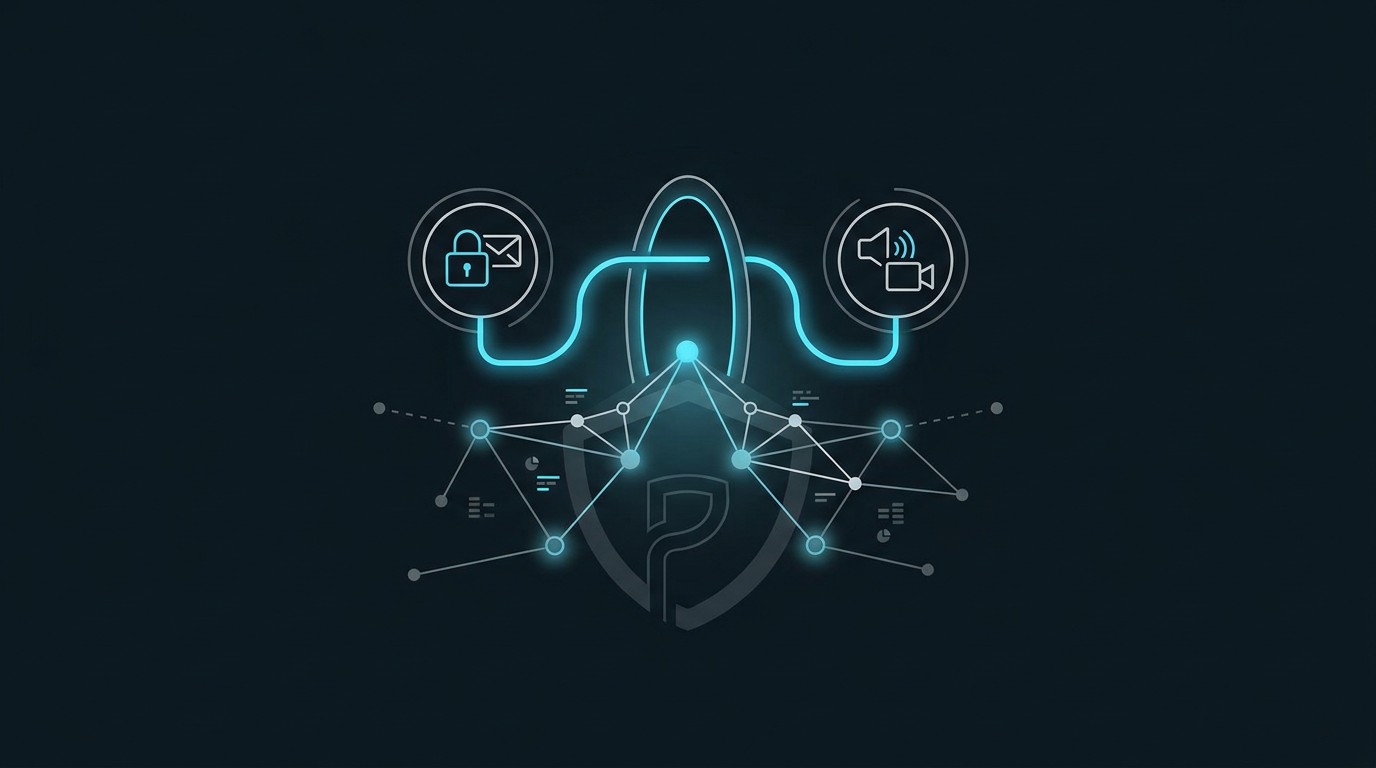
How a DTLS-SRTP handshake establishes keys for an end-to-end-encrypted call.
Why you still can't call between different apps
The single biggest limitation of every encrypted calls app in 2026 is interoperability. There is still no widely deployed common standard for e2ee calls. Each app defines its own signalling, identity and discovery, key exchange, and codec negotiation — and none of them interconnect. In practice that means both people need the same app to talk.
Messaging is further along. MLS (Messaging Layer Security) now underpins interoperable end-to-end encryption in RCS Universal Profile 3.0 and the IETF's MIMI effort, and the EU's Digital Markets Act is forcing WhatsApp to open up its messaging. Interoperable calling specifically, however, is a future milestone rather than a shipped reality — Meta has publicly framed it as a 2027 target. See RFC 9420, the MLS standard, for the messaging foundation the industry is building on.
MLS was published as RFC 9420 and now underpins interoperable E2EE messaging in RCS Universal Profile 3.0; interoperable calling remains a 2027 target.
Encrypted calls apps compared
Every mainstream option encrypts call media in broadly the same way; they differ on authentication, source transparency and interoperability. Here is how the main choices line up as of July 2026.
| App | Media encryption | Key exchange & auth | Calls to other apps? | Notes |
|---|---|---|---|---|
| Signal | WebRTC + SRTP | DTLS-SRTP, authenticated by Signal Protocol | No | Open source |
| WebRTC + SRTP | Master secret sent in an E2EE message | No (messaging opening first via DMA) | Closed source, huge reach | |
| Graphite Messenger | WebRTC + SRTP | DTLS-SRTP, authenticated by its e2ee protocol | No | Free public beta, privacy-first, minimal data |
| FaceTime | SRTP | Apple key exchange | No (Apple devices only) | Apple ecosystem |
| RCS UP 3.0 (messaging) | MLS (RFC 9420) | MLS group keys | Interop messaging emerging | Calling not yet standardised |
Meet Graphite Messenger: private calls with nothing to hand over
Graphite Messenger is PrivacyPortal's own encrypted calls app and secure calling messenger. Its tagline sums up the design goal: "Private messaging with nothing to hand over." It uses the same WebRTC + SRTP media encryption and DTLS-SRTP key exchange described above, authenticated by its end-to-end protocol, so your call content never reaches the server in the clear.
Just as importantly, it is built to collect as little as possible — the idea being that if anyone ever comes asking, there is very little to hand over in the first place. It pairs naturally with a de-Googled Android phone, where you have already stripped back Google's data collection. If you are weighing up your options, our roundup of private messaging apps puts it in context.
Graphite Messenger v1.13.25 ships as a free public beta.
The Graphite Messenger call screen, showing the encryption indicator and safety-number verification.
How to set up encrypted voice and video calls in Graphite Messenger
You can be making e2ee calls in a few minutes. Because this is beta software, treat it accordingly.
Before you start, you'll need:
- An Android phone running a reasonably recent Android version (Graphite Messenger is in public beta as of July 2026).
- The Graphite Messenger app — see the Modules, apps & files to try section at the end of this article for the verified download.
- At least one contact who also runs Graphite Messenger (calls do not cross to other apps).
- Microphone permission for voice, and camera permission for video.
Steps:
- Back up anything important and read the requested permissions first — it is beta software, so keep a fallback way to reach people.
- Install Graphite Messenger from the official source linked in the Modules, apps & files to try section below. If you sideload the APK directly, enable "install unknown apps" for your browser or files app only for the install, then turn it back off.
- Open the app and register following the on-screen prompts.
- Grant microphone permission (for encrypted voice calls) and camera permission (for the private video call app features). Decline anything that isn't needed.
- Add a contact who also uses Graphite Messenger.
- Open the chat and verify their safety number out of band — compare it in person or over another trusted channel to rule out a man-in-the-middle.
- Tap the voice or video call icon to place your e2ee call.
- Verify it worked: confirm the in-call encryption indicator is shown and that the safety numbers match. That is your proof the call is end-to-end encrypted and not being intercepted.
Common pitfalls with encrypted calls apps
Encryption is only half the battle. These are the mistakes we see most often, and how to avoid them.
- Skipping safety-number verification. Without it, you are trusting the network to have introduced you to the right person. Verify once, out of band.
- Assuming metadata is hidden. E2EE protects call content, not necessarily the fact that a call happened, when, and for how long. Choose apps that minimise metadata.
- Expecting cross-app calls. There is no interoperable e2ee calling standard yet, so both people need the same app.
- Ignoring endpoint security. A compromised or malware-laden phone defeats any encryption. Keep the device patched.
- Trusting non-E2EE cloud backups. A backup that isn't encrypted can undo your privacy after the fact.
- Relying on beta software for life-safety calls without a proven fallback such as a normal phone line.
And a plain-spoken caveat: no app — Graphite Messenger included — can promise to defeat a determined, well-resourced adversary, and we will not pretend otherwise.
How to choose the right encrypted calls app
Use this quick decision framework:
- Want open-source scrutiny and a large install base? Signal.
- Need to reach almost everyone you know? WhatsApp — but mind the metadata and ownership.
- Want minimal data collection and a privacy-first default, especially on a de-Googled phone? Graphite Messenger.
- Everyone you call is on Apple? FaceTime is fine inside that walled garden.
Whatever you choose, both people need the same app — so choose for who you actually call.
Choosing an encrypted calls app comes down to who you call and how much metadata you're willing to share.
Frequently asked questions
Are encrypted voice calls really private, or can the provider listen in?
With a properly implemented encrypted calls app, the provider cannot hear your call. The media is encrypted with SRTP and the keys are negotiated by a DTLS-SRTP handshake that your app's end-to-end protocol authenticates. In designs like WhatsApp's, the master secret travels inside an end-to-end-encrypted message, so the server only ever relays ciphertext.
Can I make an encrypted call from one app to a different app?
Not today. As of July 2026 there is no widely deployed standard for interoperable e2ee calls — each app uses its own signalling, identity, key exchange and codecs. Interoperable messaging is arriving via MLS (RFC 9420), but interoperable calling is still a target (Meta says 2027), not a shipped feature.
Do encrypted calls apps hide who I called and when?
End-to-end encryption protects the content of the call, not necessarily the metadata around it. Some apps still record that a call took place, its time and duration. If metadata matters to you, pick a secure calling messenger that is explicitly designed to collect and retain as little as possible.
Is Graphite Messenger's private video call app free?
Yes. Graphite Messenger is a free public beta (v1.13.25) from PrivacyPortal, offering encrypted voice and video calls. As with any beta, keep a fallback and expect ongoing changes.
What's the difference between DTLS-SRTP and ZRTP?
Both set up the keys that SRTP uses to encrypt media. ZRTP is an older key-agreement method that ran between the call endpoints directly. Modern messengers use DTLS-SRTP and let their existing end-to-end protocol authenticate the handshake instead — the approach Signal adopted when it moved to WebRTC in 2017.
Do I need a rooted or de-Googled phone to make e2ee calls?
No. Any recent Android phone can run an encrypted calls app. A de-Googled phone simply reduces background data collection, which complements a privacy-first app like Graphite Messenger — but it isn't a requirement for the encryption itself.
Ready to try it? Grab Graphite Messenger from the verified link in the Modules, apps & files to try section below and place a test call today.
Private messaging with nothing to hand over: end-to-end encrypted, post-quantum (ML-KEM-768), Tor by default, and no phone number required. For Windows & Android (including GrapheneOS). Download at graphite.chat →
PrivacyPortal sells ready-to-use, de-Googled GrapheneOS Pixels — hardened, kept updated, and shipped with our encrypted Graphite messenger. Browse privacy phones →
Want it done for you?
Compare Google Pixel models offered with GrapheneOS. Each listing states the exact model, storage, condition, software configuration and current support details.


