

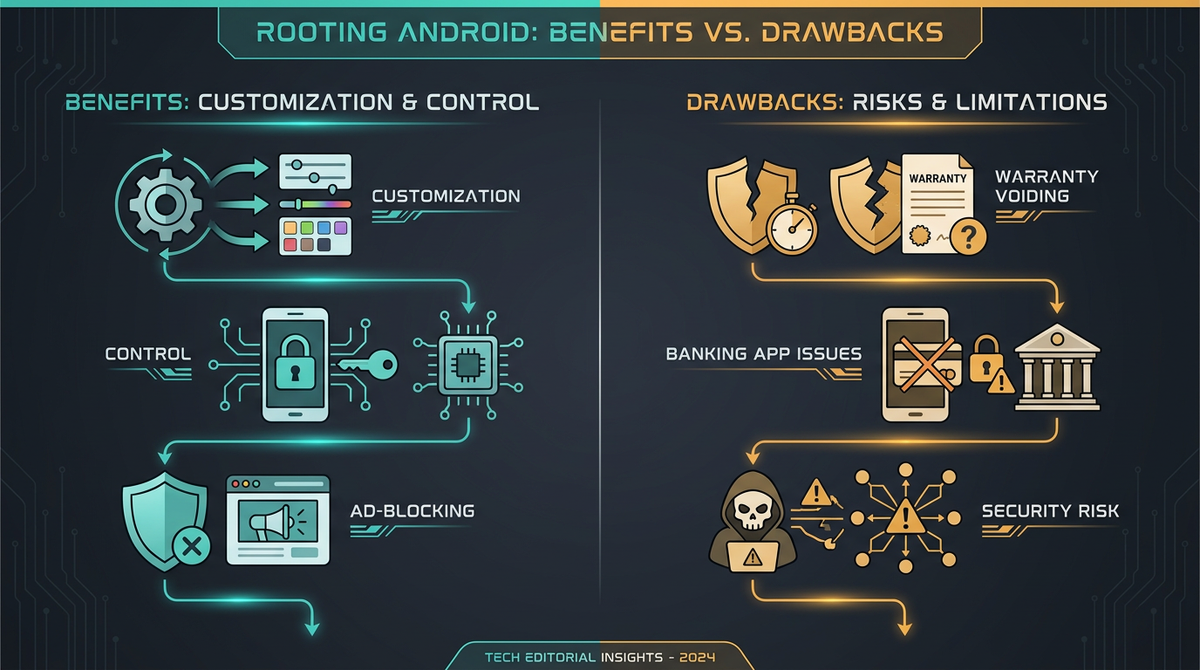
If you have spent any time tinkering with Android, you have probably asked yourself the same question we hear constantly: is rooting worth it? In 2026 the honest answer is "it depends, and the trade-offs are steeper than they used to be." Rooting still unlocks genuinely useful things — custom ROMs, system-wide ad-blocking, full backups, deep automation — but Google's integrity checks, OEM lockdowns and permanent-brick protections have all tightened. This guide walks through the real pros and cons of rooting so you can decide whether to root your phone with your eyes open, not on hype.
What rooting actually means in 2026
Rooting gives you administrative (superuser) access to Android — the equivalent of an admin account on a PC. It almost always starts by unlocking the bootloader, then patching the boot image so a root manager can grant superuser rights to apps you approve.
Three frameworks dominate today:
- Magisk (v30.7, February 2026) — the classic "systemless" approach. It patches boot.img or init_boot.img and leaves the system partition untouched. It runs a background daemon, which is one more thing apps can probe for.
- KernelSU (tiann/KernelSU, around v3.2.4 by mid-2026) and the community fork KernelSU-Next (v3.2.0, April 2026) — root is built into the Linux kernel itself. There is no background daemon; superuser only exists per-app, which makes it harder to spot at the process level.
- APatch (v11142, tagged November 2025, with later 2026 builds) — patches the boot image like Magisk but injects kernel-level code via KernelPatch modules. ARM64-only and the smallest ecosystem, but handy when the other two routes are blocked.
All three are actively maintained. The difference between them matters less than the device you put them on and what you intend to do once rooted.
The rewards: genuine benefits of rooting Android
Rooting is not pointless — far from it. The legitimate use cases are why the community keeps it alive:
- Extending a phone's life with custom ROMs. A de-Googled or LineageOS-style ROM can keep a device secure and pleasant to use years after the manufacturer stops shipping updates.
- System-wide ad and tracker blocking. Host-level blocking and modules can strip ads and telemetry across every app, not just the browser.
- True full backups. Root lets you back up app data completely — something stock Android still does poorly.
- Deep automation and customisation. Tasker with root, kernel tuning, per-app firewalling and removing pre-installed bloat all become possible.
- Privacy control. For privacy-minded users, root is the gateway to removing Google services and taking real ownership of what the device does.
If those benefits map onto what you actually want, rooting can be very much worth it. The question is what you give up to get them.
The risks: what rooting can cost you
This is where many "should I root my phone" decisions fall apart. Some of these risks are reversible; several are not. Read this section before you touch fastboot.
Unlocking the bootloader wipes your phone
Unlocking the bootloader triggers a full factory reset, every time, with no exception. Back up everything first — photos, app data, 2FA seeds, the lot — and save a copy of your current firmware. Treat the wipe as a certainty, not a risk.
Permanent feature loss on Samsung
On any Samsung device with Knox, unlocking the bootloader trips a hardware e-fuse (0x0 to 0x1) permanently. Samsung Pay, Secure Folder, Samsung Pass, Samsung Health features and enterprise Knox profiles are disabled forever — even if you re-lock afterwards. On top of that, One UI 8 (based on Android 16) removed the OEM-unlock toggle entirely. To be precise about the timeline: the Galaxy S25 shipped in January 2025 on One UI 7 and received One UI 8 as an OTA from September 2025; the Galaxy Z Fold 7 and Z Flip 7 launched in July 2025 as the first devices to ship with One UI 8, where the missing toggle was confirmed. For most modern Samsung phones, rooting is simply off the table.
Permanent bricks from anti-rollback protection
Several OEMs now blow e-fuses if you flash firmware older than what is installed (anti-rollback, or ARB). OnePlus added Samsung-style ARB in ColorOS builds around 16.0.3.501 (later reports also cite 16.0.3.503) in early 2026 — downgrading from an affected build can brick the device at motherboard level. Important correction to a common myth: Pixel does not magically disable ARB just because the bootloader is unlocked. The May 2026 update for the Pixel 10 series incremented an anti-rollback counter, and Google itself warned that flashing it without sideloading the full OTA to both A/B slots could leave a device permanently unbootable. Pixel is still the most open OEM, but ARB is a real brick risk there too — never flash older builds blindly.
Sony DRM key loss
On older Sony Xperia models, unlocking the bootloader erases the TA partition holding factory DRM keys. The result is degraded camera quality and the loss of Widevine L1, so no HD Netflix or Amazon. Newer Xperia 1/5-series can sometimes recover keys by re-locking and running Xperia Companion immediately, but it is model-dependent. Similar TEE/Widevine L1 breakage is also known on some OnePlus, Realme and Oppo (BBK-family) devices.
Banking, payment and streaming apps may refuse to run
Google retired SafetyNet in January 2025 and replaced it with the Play Integrity API. Since May 2025, the device integrity verdict on Android 13+ relies on hardware-backed signals, and the strong verdict needs a hardware-backed keybox plus a locked bootloader — effectively out of reach on a standard unlocked-bootloader root. Many banking apps, Google Wallet, Netflix (Widevine L1), Pokémon GO, Uber and enterprise MDM apps check for this.
There is a well-known community hiding stack (Magisk plus Zygisk, DenyList, a Play Integrity Fix fork, Shamiko and Tricky Store) that passes the basic and device verdicts for most apps. But it is a permanent cat-and-mouse game: Google pushes a detection update, things break, the community responds. We will not tell you it defeats any specific bank's checks — it often does not, and some apps resist every known method short of removing root entirely. If a banking app you depend on is strict, assume rooting may break it.
One thing to be clear about: a valid hardware keybox cannot be extracted from your own phone, and anyone selling "extracted keyboxes" is running a scam. Keyboxes that do circulate get revoked by Google quickly. Do not build your plans around buying one.
Security: a bigger attack surface
Root is a double-edged sword. Any app that gains superuser — through your own mistaken approval, a malicious module, or a flaw in the root daemon — gets unrestricted access to your device. There is no app-store-style vetting for Magisk/KernelSU modules; fake modules carrying credential stealers have circulated on Telegram. Real vulnerabilities have existed too (a Magisk CVE allowed silent root gain; an old KernelSU build allowed manager impersonation). Only ever install modules from transparent, actively maintained GitHub repositories, and inspect a module's scripts before flashing if you are unsure.
Warranty, OTA updates and patch gaps
Unlocking the bootloader voids the manufacturer warranty on effectively every OEM. On Samsung that is irreversible (the Knox e-fuse); on Pixel and OnePlus you can often re-lock and restore stock, though prior unlock history may still be detectable. Rooted devices also do not absorb OTA updates cleanly — miss the "Install to Inactive Slot" step and you can lose root or bootloop. And if you move to a custom ROM, check it backports security patches promptly; some lag months behind Google's bulletins.
Does rooting void your warranty?
Yes, in practice, on all mainstream OEMs — unlocking the bootloader is the trigger. Whether you can restore it varies: irreversible on Samsung (Knox), usually reversible by re-locking and flashing stock on Pixel, OnePlus, Motorola and Nothing, with the caveat that some manufacturers can still see that the device was once unlocked.
Which phones are realistic to root in 2026?
Device choice is the single biggest factor in whether rooting is worth it. Here is the honest landscape:
| Brand | Rooting outlook (2026) | Key caveat |
|---|---|---|
| Google Pixel | Easiest. Public factory images, no approval gate to unlock. | Android 13+ devices that shipped on 13+ use init_boot.img; ARB still bricks on bad downgrades (Pixel 10). |
| Motorola | Permissive. Official unlock portal, clean fastboot. | No Knox-style permanent feature loss. |
| Nothing Phone | Developer-friendly. Fastboot unlock, Magisk works. | Active XDA community; no known feature kills. |
| Xiaomi / Poco / Redmi | Possible but bureaucratic. | Real-name account, eligibility quiz, quota-limited approval, SIM required, one device per account per year. |
| OnePlus | Was great; now cautious. | ColorOS 16.0.3.501+ ARB can brick on downgrade. |
| Sony Xperia | Official unlock exists. | Older models lose DRM keys / Widevine L1 permanently. |
| Samsung | Effectively off-limits on modern flagships. | One UI 8 removed the unlock toggle; Knox e-fuse loss is permanent. |
| Oppo / Realme | Increasingly restrictive. | Deep-testing approval; policies vary by region/model. |
One Pixel detail worth repeating because it bricks people every year: init_boot.img is only correct on devices that shipped with Android 13 or later. A Pixel 6 that launched on Android 12 and was later updated still patches boot.img. Patch the wrong image and you get the exact bootloop the rule is meant to prevent.
A safe-minded rooting checklist
If you have weighed it up and want to proceed, do it methodically:
- Check feasibility first. Confirm your exact model and OEM unlock policy before anything else.
- Back up completely. Data, 2FA seeds, and a copy of your current factory image. The unlock will wipe the device.
- Unlock the bootloader via Developer Options (OEM Unlocking + USB Debugging) and the correct fastboot command. Expect the reset.
- Get the exact matching boot image for your build fingerprint. Use init_boot.img where required (see above).
- Patch with Magisk (or set up KernelSU/APatch per your device), flash the patched image, then verify root.
- Maintain OTAs carefully using "Install to Inactive Slot" so updates do not cost you root or stability.

Is there a way to get the benefits without the risk?
For a lot of people, the honest takeaway is that they want the outcome of rooting — a private, de-Googled, fully-controlled phone — more than the process and its brick-and-banking risks. If that sounds like you, a phone that arrives already de-Googled and configured can be a better fit than unlocking a device you cannot afford to break. At PrivacyPortal we set up privacy-first Android phones for exactly that reason, and we are happy to give straight advice on whether rooting your particular device makes sense or whether there is a cleaner route to what you are after.
So, is rooting worth it?
Root if you have a rooting-friendly device (Pixel, Motorola and Nothing lead the pack), you have backed everything up, and the rewards — custom ROMs, ad-blocking, backups, privacy control — genuinely matter to you. Think hard, or step back, if you rely on strict banking or payment apps, you own a Samsung flagship or a device with anti-rollback risk, or you cannot tolerate downtime if something goes wrong. Rooting is still a powerful, legitimate thing to do to your own device in 2026. It is just no longer a casual one.
Frequently asked questions
Is rooting safe?
Rooting is safe if done correctly on a supported device, but it permanently expands your attack surface and can brick the phone if you flash the wrong image or downgrade past anti-rollback protection. The biggest practical risks are malicious modules and user error — mitigate both by using trusted sources and matching your firmware exactly.
Will rooting break my banking apps?
It can. Many banks and Google Wallet use the Play Integrity API to detect modified devices. Community hiding stacks pass the basic and device verdicts for most apps, but not all, and detection updates break them periodically. If a critical banking app is strict, assume root may stop it working.
Does rooting void the warranty?
Yes — unlocking the bootloader voids the warranty on effectively every OEM. It is irreversible on Samsung due to the Knox e-fuse, but usually restorable by re-locking and flashing stock on Pixel, Motorola, OnePlus and Nothing.
What is the easiest phone to root in 2026?
Google Pixel. Google publishes factory images for every supported model, the bootloader unlock needs no manufacturer approval, and Magisk is primarily developed and tested on Pixels. Just remember the init_boot.img rule and the anti-rollback warning on newer models.
Can I just buy an "extracted keybox" to pass strong integrity?
No. A hardware keybox cannot be extracted from a device, and sellers offering them are scams. Any keyboxes that circulate get revoked by Google quickly, so it is not a reliable path to the strong integrity verdict.
Modules, apps & files to try
Here are the actual tools the rooting community uses for this, each linked to its official source. They're third-party community projects, so download only from the official page below, back up your boot.img first, and follow each project's own instructions. PrivacyPortal isn't affiliated with these projects and can't guarantee third-party files — flash at your own risk.
| File | What it is & how to use it safely |
|---|---|
| Magisk (GITHUB) | The original and most widely used Android root manager; systemless root via boot-image patching, with built-in Zygisk, a module system and a DenyList for hiding root. Download ONLY from the official repo github.com/topjohnwu/Magisk — its README states GitHub is the sole official source, and third-party "Magisk Manager" sites/APKs are frequently repackaged with malware. Rooting trips Play Integrity and can brick a device: back up your stock boot.img before patching/flashing, and never flash a Magisk ZIP/APK obtained from a Telegram link or random mirror. |
| KernelSU-Next (KSUN) (GITHUB) | Actively maintained KernelSU successor/fork by RifsxD with enhanced root hiding, magic mount, manual-hook support for non-GKI kernels, and integrated SUSFS GKI image support. Legitimate open-source (GPL) KernelSU fork — the candidate link rifsxd/KernelSU-Next 301-redirects to the canonical org repo. Actively maintained (v3.2.0, April 2026). Kernel-level root is high-risk: back up your boot.img before flashing, match the manager and kernel module versions, and download ONLY from this official GitHub repo/releases page (or the official kernelsu-next.github.io docs) — never from Telegram or mirror sites. Note the wider KernelSU ecosystem had a manager-impersonation root flaw in an old version, so always run a current release. |
| APatch (GITHUB) | Kernel-level Android root manager that patches the kernel image directly and provides its own KPM (Kernel Patch Module) system; an alternative to Magisk and KernelSU. APatch is a legitimate open-source, kernel-level root manager (built on KernelPatch; UI/module code derived from KernelSU). Only download the APK from the official GitHub Releases page (github.com/bmax121/APatch/releases) or the official docs at apatch.dev — avoid third-party APK mirrors. Because it patches the kernel directly, ALWAYS back up your boot.img before flashing, and choose a strong SuperKey: the SuperKey has higher privileges than root, so a weak or leaked key can hand full control of your device to an attacker. Rooting voids warranties, can trip banking/Play Integrity checks, and a bad patch can bootloop the device. |
| Shamiko (GITHUB) | Zygisk module that hides root traces and Zygisk itself from detection; runs on APatch via Zygisk Next (note: pairs with Zygisk Next, not ReZygisk). Legitimate root-hiding module from the LSPosed team, and the candidate link points to a genuine official release (Shamiko v1.2.5 / build 414). Caveats a reader should know: (1) Only download from the official LSPosed.github.io releases page — third-party "Shamiko download" sites and Telegram mirrors are common and unverified. (2) The project is effectively frozen: the LSPosed team halted maintenance and the repos are archived; v1.2.5 (June 2024) is the last release, with no 2025-2026 updates. Modern successors are ReZygisk / NeoZygisk. (3) Shamiko is closed-source, and APatch's own FAQ states it is unsupported ("use at your own risk"). (4) It pairs with Zygisk Next (not ReZygisk). As with any module, back up boot.img before flashing. |
| KernelSU (GITHUB) | The original kernel-based root manager — implements root as a kernel module rather than patching the boot ramdisk like Magisk; needs a GKI 2.0 or KernelSU-supported kernel. Official open-source (GPL) project, actively maintained — latest KernelSU v3.2.4 (Apr 2026). Kernel-level root requires a GKI 2.0 / kernel 5.10+ device (older 4.14+ kernels need a manually built kernel). Only download from the official GitHub Releases page (github.com/tiann/KernelSU/releases), never a Telegram link or mirror; verify the .apk/kernel matches your exact device and back up your boot.img before flashing, as a bad kernel image can bootloop the device. The companion KernelSU-Next fork (github.com/KernelSU-Next/KernelSU-Next) is also legitimate and supports wider kernel ranges (4.4–6.6). |
| Tricky Store (GITHUB) | Module that spoofs the TEE/keystore attestation chain to pass strong Play Integrity; supports force ('!') and conditional ('?') modes via target.txt. Real, widely-used root module (Magisk/KernelSU/APatch). Download ONLY from the official repo github.com/5ec1cff/TrickyStore (Releases tab) -- it has been closed-source since v1.1.0, so binaries from random hosts/Telegram channels are NOT trustworthy; an open-source alternative is github.com/beakthoven/TrickyStoreOSS. It modifies the keystore attestation chain and needs a working/un-revoked keybox.xml the user supplies -- the module itself does not provide or sell keyboxes (paid "keybox" sellers are scams; ignore them). Back up boot.img before flashing, and understand passing Play Integrity this way can risk app/account flags. Verify the module signature and that the repo owner is exactly '5ec1cff' before installing. |
PrivacyPortal sells ready-to-use, de-Googled GrapheneOS Pixels — hardened, kept updated, and shipped with our encrypted Graphite messenger. Browse privacy phones →
Want it done for you?
Compare rooted Android phones with model-specific Magisk configurations. Each listing states the exact hardware, storage, condition and included setup.


