

If you have spent any time around Android customisation, you have met Magisk — the tool that put "systemless root" into everyday vocabulary. In simple terms, Magisk is a free, open-source utility that grants you root (administrator) access to your own Android phone without permanently rewriting the system partition. That "systemless" approach is what makes it special: changes are layered on top of the original software rather than carved into it, so they can be switched off or removed cleanly. This guide explains what Magisk actually is in 2026, how it works under the bonnet, how to install it sensibly, and the genuine risks you need to weigh before you start.
A quick word of honesty before we go further: rooting is powerful, useful, and occasionally device-ending. We will cover the upsides plainly, but we will be just as plain about the ways it can go wrong.
What is Magisk, in plain English?
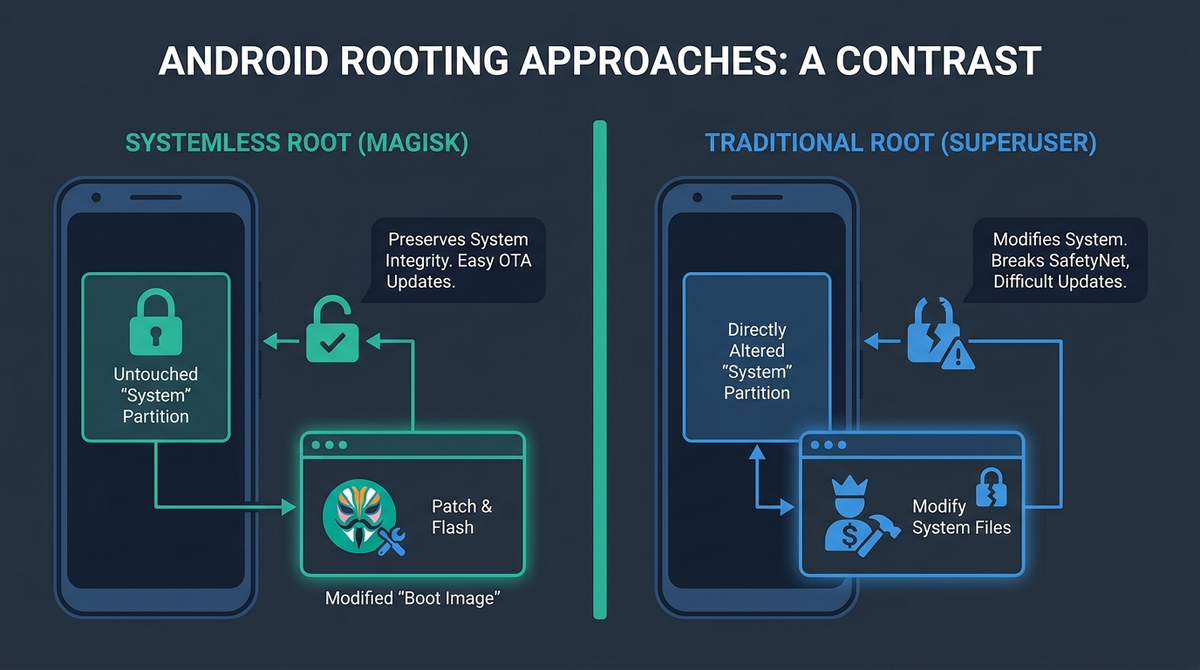
Magisk, originally created by developer John Wu (topjohnwu), is a root solution that modifies your phone's boot image instead of its system partition. When you root a device, you are giving certain apps "superuser" permission — the ability to change things Android normally keeps off-limits. Older root methods did this by writing files directly into /system, which broke official updates and left permanent traces. Magisk avoids that entirely.
Because nothing in the read-only system partition is altered, the modification is reversible and updates remain possible. This is the heart of what people mean by systemless root: the operating system files stay untouched, and your changes live in a separate overlay that the system loads at boot.
As of mid-2026, Magisk is at v30.7 (released 23 February 2026) and supports a remarkably wide range of devices, from Android 6.0 right up to Android 16 QPR2. It remains the most widely used root manager, though it now shares the stage with a couple of strong alternatives we will get to shortly.
How systemless root actually works
Understanding the mechanics helps you avoid mistakes later. Here is the chain of events, simplified.
Patching the boot image
Magisk works by patching the boot image — the small partition Android loads first. Which partition you patch depends on your device:
- boot.img on devices that shipped with Android 12 or earlier.
- init_boot.img on devices that shipped with Android 13 or later (these use the newer GKI 2.0 layout). This is the correct, standard target for modern phones.
- vendor_boot as a narrower fallback for a specific set of older GKI devices whose boot image carries no ramdisk and which have no init_boot partition. This is not the usual modern path.
Inside that patched image sits MagiskInit, which replaces the standard /init binary. It runs as the very first process at boot, mounts partitions early, injects Magisk's services, and adjusts the SELinux policy before handing control to the real init. From there, Magisk is quietly resident and ready to grant root to the apps you approve.
Magic Mount and modules
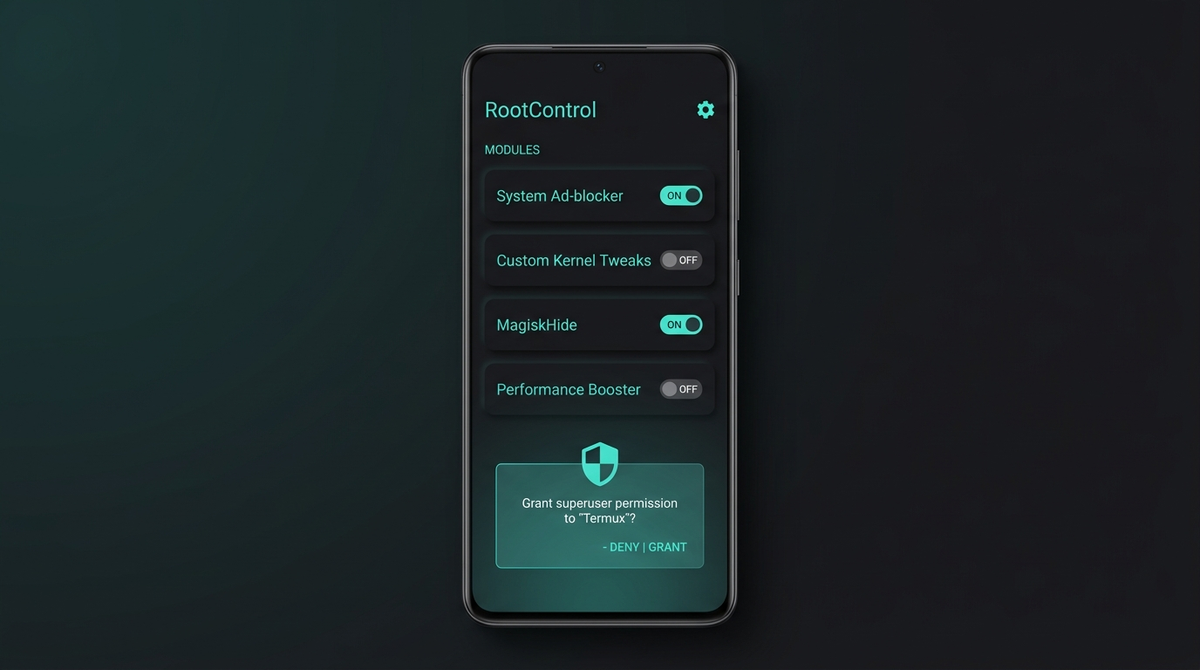
The clever part is how Magisk adds files without touching /system. It uses a technique called Magic Mount — a system of bind mounts and overlays that makes new or modified files appear in place, while the underlying partition stays pristine. This is what powers Magisk modules: self-contained packages (stored in /data/adb/modules/) that can add fonts, tweak audio, change system behaviour, or run scripts, all systemlessly and reversibly. If a module misbehaves, you remove it and the phone returns to normal.
Zygisk and root hiding
Zygisk (a portmanteau of Zygote and Magisk) lets modules load code into Android's app-spawning process, so they can operate inside individual apps. It was introduced in v24, given a new injection mechanism and significant hardening in v27, and extended again in v30.7 for newer device types such as Android XR and Nubia hardware.
Zygisk also underpins root hiding. Magisk includes a DenyList, which reverts Magisk's changes inside specific app processes so those apps see an unmodified environment. A separate Zygisk module called Shamiko offers deeper hiding. Crucially, the two are not meant to be combined: Shamiko expects DenyList enforcement to be turned off and handles the hiding itself. Running both at once causes conflicts.
Why people root with Magisk
Rooting is a means, not an end. The common reasons include:
- Genuine control of your device — removing pre-installed bloat, fine-tuning performance, and changing behaviour the manufacturer locked down.
- Privacy and de-Googling — pairing root with modules and custom firmware to strip telemetry and reduce data leakage.
- Customisation — system-wide theming, audio mods, ad-blocking at the host level, and automation.
- Backups and recovery — full app-data backups that non-rooted phones simply cannot make.
If privacy is your main motivation but the technical risk gives you pause, it is worth knowing that you do not have to do all of this yourself. At PrivacyPortal we sell de-Googled, privacy-first Android phones that are configured before they reach you, so you get a hardened device without ever needing to unlock a bootloader or patch a boot image. Rooting remains an excellent option for tinkerers; a pre-configured device is the calmer route for everyone else.
Magisk vs KernelSU vs APatch: the 2026 landscape
Magisk is no longer the only serious choice. Two kernel-based alternatives have matured and are now in active, concurrent use. Here is how they compare.
| Solution | How it roots | Best for | OTA-friendliness |
|---|---|---|---|
| Magisk (v30.7) | Patches the boot image; runs in userspace via MagiskInit | The widest device range, including older hardware and non-GKI kernels | Good on A/B devices via "Install to Inactive Slot" |
| KernelSU / KernelSU-Next (KSUN v3.2.0) | Kernel-level root; either replaces the kernel (GKI mode) or loads as a kernel module (LKM mode) | Modern GKI devices (kernel 5.10+); LKM mode is OTA-friendly | Excellent in LKM mode — but LKM requires a GKI 2.0 kernel; non-GKI kernels need source integration |
| APatch | Patches the boot image but injects at kernel level via KernelPatch; uses Magic Mount | ARM64 devices wanting kernel-level features without full kernel source | Comparable to Magisk; depends on device |
There is also SukiSU Ultra, a KernelSU fork with built-in SUSFS root-hiding, plus a busy ecosystem of bleeding-edge builds such as Magisk Alpha that surface new hiding and Zygisk features ahead of stable. For most people on a recent phone, the practical decision is Magisk (broadest compatibility) versus KernelSU-Next (cleanest on modern GKI devices). On very old or non-GKI hardware, Magisk is often the only realistic option.
How to install Magisk: the high-level steps
This is a roadmap, not a device-specific tutorial — always follow a guide written for your exact model and build number. The general flow is:
- Back up everything first. Unlocking the bootloader wipes all user data on almost every device. Photos, messages, app data — gone. Do not skip this.
- Unlock the bootloader. Enable OEM Unlocking in Developer Options, then run fastboot flashing unlock. This is the step that erases your data.
- Get the correct stock image. Download the factory firmware for your exact model and build, then extract boot.img (Android 12 and earlier) or init_boot.img (Android 13+). Samsung users extract from the AP file.
- Patch it with Magisk. Install the Magisk APK, open it, choose "Install > Select and Patch a File", and pick your extracted image. The patched file lands in your Downloads folder.
- Flash the patched image. Move it to your computer and run fastboot flash boot magisk_patched.img (or fastboot flash init_boot … on Android 13+). Samsung users flash via Odin, including BL, AP, CP and CSC — never AP alone.
- Reboot and finish setup. Open Magisk; if it asks for "Additional Setup", allow it and let the phone reboot once more.
If you later want banking or Play Integrity compatibility, you would enable Zygisk and add a hiding stack (for example Play Integrity Fix plus Tricky Store plus Shamiko). We will be honest about the limits of that below.
The real risks: warranty, OTA, banking and security
None of the following is meant to scare you off — it is meant to make sure you go in with both eyes open.
Data loss and bricking
Unlocking the bootloader wipes the device. Beyond that, a bad flash or a misbehaving module can leave you with a phone that will not boot ("soft brick"). On most devices fastboot remains accessible even when Android is broken, which lets you restore stock firmware — but a small number of OEMs make recovery harder. Install modules one at a time, and rely on Magisk's built-in protection: if you do get stuck in a bootloop, the standard recovery trigger is to hold Volume Down during early boot to enter safe mode, which disables all modules.
OTA updates
Official over-the-air updates break if you modify /system directly, which is exactly why you should only ever use systemless modules. On A/B (seamless update) devices, Magisk's "Install to Inactive Slot" feature handles updates gracefully — apply the OTA, then use that option before rebooting. A-only devices need you to restore the stock boot image, update, then re-patch.
Warranty, Knox and locked bootloaders
Samsung devices are a special case: unlocking the bootloader permanently trips a hardware Knox e-fuse that cannot be reset. That kills Samsung Pay, Secure Folder, Samsung Pass and enterprise (Knox) features for good, even if you re-lock and reflash stock. Separately, since the EU Radio Equipment Directive began enforcement on 1 August 2025, some manufacturers have tightened firmware policy — Samsung removed the bootloader unlock toggle in One UI 8 on EU-market devices, making those units impossible to root out of the box. Importantly, this is a vendor interpretation, not a blanket legal ban: Google's Pixel line and Fairphone, for instance, continue to support unlocking. Always check your specific model before buying with intent to root.
Banking apps, anti-cheat and Play Integrity
Here is where we have to be careful and accurate. With the right module stack you can generally pass Google's Basic and Device integrity checks. Strong integrity is a different matter — it requires a valid, unrevoked hardware "keybox", and Google revokes leaked keyboxes regularly and without warning. There is no reliable, permanent source for these, and on modern Tensor or Snapdragon-class hardware, hardware-backed attestation cannot be defeated by spoofing alone.
We will not tell you that any method reliably defeats a specific bank's or app's detection, because that is simply not how it works — it is an ongoing cat-and-mouse game, and some banking, anti-cheat and enterprise apps detect root through proprietary means well beyond Play Integrity. Treat root hiding as something you do to your own device, with no guarantees.
A note on scams: a hardware keybox is provisioned into a device's secure element at manufacture and cannot be extracted from a phone. Anyone selling you an "extracted keybox" is selling a scam or a stolen/soon-to-be-revoked key. Avoid them.
Security trade-offs
An unlocked bootloader weakens Android Verified Boot, which means someone with physical access to your device could, in principle, boot a tampered image. Root itself raises the stakes too: every Magisk module runs with full privileges, so a malicious or broken module can exfiltrate data or brick your phone. Install only from trusted, actively maintained, open-source sources.
Frequently asked questions
Is Magisk safe?
The software itself is open source and widely trusted. The risk comes from the process around it — bootloader unlocking, flashing, and the modules you choose. Back up first, follow a model-specific guide, and stick to reputable modules, and most people have no trouble. But "safe" is never "guaranteed".
Does rooting void my warranty?
It can. Unlocking the bootloader and rooting may void manufacturer warranty, and on Samsung it permanently trips Knox. Some OEMs are more relaxed than others; check your manufacturer's policy.
Can I still use my banking apps after rooting?
Sometimes, with effort, and never with certainty. You may pass Basic and Device integrity with a proper hiding stack, but Strong integrity and many app-specific checks can defeat you, and that landscape shifts constantly. If reliable banking access is essential, weigh that heavily.
What is the difference between Magisk and KernelSU?
Magisk patches the boot image and runs in userspace, giving it the broadest device support. KernelSU works at the kernel level and is cleanest on modern GKI devices, where its LKM mode is genuinely OTA-friendly — but that LKM mode needs a GKI 2.0 kernel and will not load on older non-GKI kernels.
Can I unroot and go back to stock?
Yes — that is one of systemless root's advantages. You can uninstall Magisk (it restores the original boot image) and, if you wish, re-lock the bootloader and reflash stock firmware. Note that a tripped Samsung Knox fuse cannot be undone.
Will Magisk work on my brand-new phone?
It depends on the OEM and where you bought it. Pixels remain the most unlock-friendly. Xiaomi and some OnePlus models impose waiting periods, and certain carrier-locked and EU-market devices cannot be unlocked at all. Research your exact model before you buy.
The bottom line
Magisk is the mature, flexible, well-supported way to root Android systemlessly — reversible by design, update-friendly when used correctly, and backed by a deep module ecosystem. It is also a tool that can wipe your data, void your warranty, and occasionally brick a phone if you rush. If you enjoy tinkering and you back up properly, it is one of the most rewarding things you can do with an Android device. And if you want the privacy benefits without the risk, a pre-configured, de-Googled phone gets you most of the way there with none of the flashing. Either way, go in informed — that is the whole point of doing it on your own terms.
Modules, apps & files to try
Here are the actual tools the rooting community uses for this, each linked to its official source. They're third-party community projects, so download only from the official page below, back up your boot.img first, and follow each project's own instructions. PrivacyPortal isn't affiliated with these projects and can't guarantee third-party files — flash at your own risk.
| File | What it is & how to use it safely |
|---|---|
| Magisk (GITHUB) | The original and most widely used Android root manager; systemless root via boot-image patching, with built-in Zygisk, a module system and a DenyList for hiding root. Download ONLY from the official repo github.com/topjohnwu/Magisk — its README states GitHub is the sole official source, and third-party "Magisk Manager" sites/APKs are frequently repackaged with malware. Rooting trips Play Integrity and can brick a device: back up your stock boot.img before patching/flashing, and never flash a Magisk ZIP/APK obtained from a Telegram link or random mirror. |
| ReZygisk (GITHUB) | A community Zygisk implementation that provides the Zygote-injection layer Zygisk modules depend on, usable with Magisk (including Alpha), KernelSU, and APatch. Community FOSS module that runs with root (superuser) access. Download ONLY from the official GitHub releases page (github.com/PerformanC/ReZygisk/releases) — not from Telegram or mirror sites — and back up your boot.img before flashing in case you need to recover. It is a Zygisk provider, not a Play Integrity/keybox 'fix' on its own. |
| Shamiko (GITHUB) | Zygisk module that hides root traces and Zygisk itself from detection; runs on APatch via Zygisk Next (note: pairs with Zygisk Next, not ReZygisk). Legitimate root-hiding module from the LSPosed team, and the candidate link points to a genuine official release (Shamiko v1.2.5 / build 414). Caveats a reader should know: (1) Only download from the official LSPosed.github.io releases page — third-party "Shamiko download" sites and Telegram mirrors are common and unverified. (2) The project is effectively frozen: the LSPosed team halted maintenance and the repos are archived; v1.2.5 (June 2024) is the last release, with no 2025-2026 updates. Modern successors are ReZygisk / NeoZygisk. (3) Shamiko is closed-source, and APatch's own FAQ states it is unsupported ("use at your own risk"). (4) It pairs with Zygisk Next (not ReZygisk). As with any module, back up boot.img before flashing. |
| BusyBox (GITHUB) | A Magisk module that installs the standard Unix command-line utilities (ls, grep, sed, awk, etc.) into a rooted Android system. The community note's link was wrong — it pointed at topjohnwu/Magisk (the Magisk framework), not BusyBox. The real, reputable BusyBox module is osm0sis's "Busybox for Android NDK" (open-source, ~1.9M downloads, up to date with busybox 1.36.1). Important caveat for readers: modern Magisk already ships its OWN built-in busybox (/data/adb/magisk/busybox), so installing this separate module is usually unnecessary on current Magisk and mainly matters for older setups or scripts needing a system-path binary. Only download from the official osm0sis GitHub (or the established XDA thread) — avoid the Telegram/SourceForge/random-mirror reuploads that dominate search results. As with any module, back up boot.img before flashing. |
| Play Integrity Fork (GITHUB) | A community-maintained fork of Play Integrity Fix that spoofs device fingerprint and build properties so a rooted phone can still pass Google's Play Integrity (DEVICE) checks. Community Zygisk module (GPL-3.0), forked from the now-discontinued Play Integrity Fix. Only download from this official GitHub releases page — never from Telegram channels or mirror sites, which often bundle malware. Back up boot.img before flashing. Spoofing Play Integrity is for personal device use; it does not guarantee any specific app passes, and Google updates can break it until a new version ships. Do not buy "keyboxes" from anyone — paid keybox sellers are scams and keyboxes cannot be legitimately extracted. |
| KernelSU (GITHUB) | The original kernel-based root manager — implements root as a kernel module rather than patching the boot ramdisk like Magisk; needs a GKI 2.0 or KernelSU-supported kernel. Official open-source (GPL) project, actively maintained — latest KernelSU v3.2.4 (Apr 2026). Kernel-level root requires a GKI 2.0 / kernel 5.10+ device (older 4.14+ kernels need a manually built kernel). Only download from the official GitHub Releases page (github.com/tiann/KernelSU/releases), never a Telegram link or mirror; verify the .apk/kernel matches your exact device and back up your boot.img before flashing, as a bad kernel image can bootloop the device. The companion KernelSU-Next fork (github.com/KernelSU-Next/KernelSU-Next) is also legitimate and supports wider kernel ranges (4.4–6.6). |
PrivacyPortal sells ready-to-use, de-Googled GrapheneOS Pixels — hardened, kept updated, and shipped with our encrypted Graphite messenger. Browse privacy phones →
Want it done for you?
Compare rooted Android phones with model-specific Magisk configurations. Each listing states the exact hardware, storage, condition and included setup.


